
Posts

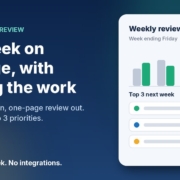
Illustration of a one-page weekly business review card with a bar chart comparing this week and last week and a list of next week's top three priorities, next to the headline Your week on one page, with AI doing the work

It’s Friday afternoon. You’ve been flat out all week, the phone hasn’t stopped, and if someone asked you how the business actually went this week, you’d probably say “busy”. But busy doing what? How many enquiries came in? How many turned into jobs? Which quotes are still sitting there with no reply? And what’s the one thing that would make next week better?

Most small business owners never stop long enough to answer those questions. Not because they don’t care, but because there’s no time, and pulling it all together feels like a job in itself.

In this post I’ll show you how to set up a simple weekly business review with AI: you spend ten minutes on a Friday pasting in your numbers and notes, and your AI assistant turns them into a one-page report with next week’s top three priorities. Then on Monday it turns that report into a plan. It works with ChatGPT, Claude, Grokbot or any AI assistant, and you don’t need to connect anything to get started.

Why owners never get time to work on the business

When I talk to small business owners about where AI can help, a weekly review rarely comes up first. Lead replies and follow-ups get the attention because the pain is obvious. But underneath a lot of those problems is the same thing: nobody’s stepping back to look at the whole week.

Here’s what that usually looks like:

  • You run on gut feel. You know roughly how things are going, but you couldn’t tell me whether this week was better or worse than last week.
  • Things slip quietly. A quote doesn’t get followed up, a to-do gets carried over three weeks in a row, and nobody notices until it’s a problem.
  • Reviews feel like homework. Sitting down with a blank page and a spreadsheet at the end of a long week is the last thing anyone wants to do.

That last one is where AI genuinely helps. You still provide the facts. The AI does the boring part: organising them, spotting what’s stuck, and writing it up in a format you can read in two minutes.

What an AI weekly business review actually does

The Weekly Business Review agent in my free AI agents pack is one of the simplest in the pack, and it needs no integrations at all. Each week it:

  1. Takes what you paste in on Friday: your handful of weekly numbers, the enquiries that came in, your to-do list, and anything else that happened.
  2. Writes a one-page review with the same headings every week, so you can compare one week with the next.
  3. Calls out what’s stuck, such as leads that haven’t been followed up or to-dos that keep getting carried over.
  4. Picks next week’s top three priorities, each with a small first step.
  5. Turns it into a plan on Monday, with no more than three must-dos per day.

The one-page review format

Here are the headings I use:

  1. The week in one line
  2. Numbers: this week vs last week (and against your targets, if you have them)
  3. What went well (no more than three points)
  4. What’s stuck or slipping (no more than three points)
  5. Next week’s top three priorities, each with a first step
  6. One thing to stop doing or hand off

That’s it. If it doesn’t fit on one page, it’s too long, and you won’t read it.

The most important rule: no made-up numbers

AI assistants are very good at sounding confident, and that’s a risk when you’re dealing with figures. If you forget to give it last week’s invoicing total, a badly briefed assistant might fill the gap with a guess. So the brief needs one firm rule: only use the numbers I give you, never estimate, and if something’s missing, write “not provided”. A review built on invented numbers is worse than no review at all.

How to set it up in about 30 minutes

Step 1: Pick three to six weekly numbers

Don’t try to track everything. Choose a few numbers that tell you whether the week went well, and that you can find in a couple of minutes. For a service business that might be new enquiries, quotes sent, jobs booked and money invoiced. A clinic might track appointments booked, cancellations and new clients. If you’re not sure, ask your AI assistant to interview you about how you win customers and get paid, one question at a time, and recommend the numbers and where you’d find each one.

Step 2: Start a simple weekly numbers note

Keep one line per week in a note or spreadsheet, copied from wherever the figures live: your invoicing software, booking system or inbox. This becomes your “last week” comparison, and after a couple of months you’ll have a picture of your business you’ve probably never had before.

Step 3: Give your AI assistant a clear brief

Set up a project, custom assistant or saved note in ChatGPT, Claude, Grokbot or any AI assistant, and paste in a brief like this, filled in with your details:

You are the weekly business reviewer for [business name], a [type of business] in [area]. Each Friday I’ll paste in this week’s numbers ([your numbers]), enquiries, to-do list and anything else that happened. Turn it into a one-page Weekly Business Review with these headings: 1. The week in one line. 2. Numbers: this week vs last week. Only use numbers I give you. Never invent or estimate. If something’s missing, write “not provided”. 3. What went well (max 3 points). 4. What’s stuck or slipping (max 3 points), including leads not followed up and to-dos carried over more than once. 5. Next week’s top 3 priorities, each with a small first step. 6. One thing to stop doing or hand off. Plain Australian English, direct and encouraging, no waffle. It must fit on one page.

If your assistant doesn’t remember past chats, paste last week’s report in too, so it can compare.

Step 4: Friday, run the review

Set a reminder for Friday afternoon. When it goes off, paste in the week: your numbers, a quick list of enquiries (name, what they wanted, where it’s at), your to-do list marked done or not done, and any wins or problems. Read the review, fix anything that’s off, and save it in a “Weekly reviews” folder.

Step 5: Monday, set the plan

On Monday morning, paste Friday’s report plus anything new since then, and ask for your plan for the week: the top three priorities with a first step and a time for each, no more than three must-dos per day, and anything to delegate, delay or drop. Then block out time in your calendar for the top three before the week takes over.

What to feed it each Friday

The review is only as good as what you give it. You don’t need to be thorough, just honest. A Friday paste-in might look something like this (example figures only):

Numbers: Enquiries 9, quotes sent 5, jobs booked 3, invoiced $6,400.
Enquiries: Sam, bathroom quote, waiting on reply. Jo, ongoing maintenance, booked. Alex, price check, no reply yet.
To-dos: Update price list (not done, third week). Chase two overdue invoices (done).
Anything else: Lost a day to a supplier delay. Two great Google reviews.

From that, a good review will tell you that the price list has now slipped three weeks and should either get done or get dropped, that Alex hasn’t heard back, and that Sam’s quote needs a follow-up before the weekend.

Keep an eye on cash flow and privacy

If money in and money out isn’t one of your weekly numbers, I’d think about adding it. business.gov.au’s cash flow section has a free cash flow statement template and a guide to managing cash flow, and a weekly review is a natural place to check it. The AI won’t do your bookkeeping, but it will notice when overdue invoices keep showing up in your notes.

Be sensible about what you paste in, too. The Office of the Australian Information Commissioner’s guidance on privacy and the use of commercially available AI products recommends caution about putting personal information, especially sensitive information, into publicly available AI tools. For a weekly review you rarely need it: first names and a few words about the job are plenty. Use a business account of your AI assistant and check its data settings. This isn’t legal advice, so if you handle health or other sensitive information, check what applies to you.

What a weekly review gets you

The obvious win is clarity. In ten minutes on a Friday you know how the week went, what’s slipping and what matters next. The less obvious win is consistency: the same six headings every week make patterns easy to spot, like a number that’s drifting down, or the same task that never gets done.

Frequently asked questions

Do I need to connect my accounting or booking software?

No. This agent works fine with copy and paste. You copy a few numbers from wherever they live into your weekly note, then paste the week into your AI assistant. If your assistant can connect to your other tools you can automate more later, but it isn’t needed.

How long does the weekly review take?

Once it’s set up, around ten minutes on a Friday to gather and paste in your notes, and a few minutes on Monday to set the plan. The first setup takes about half an hour.

What if I don’t know which numbers to track?

Ask your AI assistant to interview you about how you win customers and get paid, then recommend three to six numbers and where to find each one. Start small. You can always change them later.

Can the AI get my numbers wrong?

It can if you let it guess. Tell it to only use the numbers you give it, never estimate, and write “not provided” for anything missing. Always check the numbers section before you rely on the review.

Which AI tool should I use?

Whichever one you already use. The brief above works in ChatGPT, Claude, Grokbot or any AI assistant. A consistent format and honest notes matter far more than the brand of tool.

Get my AI agents (free)

My free Steal My AI Agents pack includes the Weekly Business Review agent, plus agents for instant lead replies, follow-ups, reviews, client onboarding and inbox triage, with the prompts, setup steps and routines. It works with ChatGPT, Claude, Grokbot or any AI assistant. No code needed.

Send me the agents

Rather have it set up for you? Book a free AI audit.
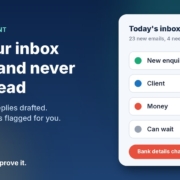
Illustration of an inbox sorted by AI into new enquiry, client, money and can wait, with a red flag on a changed bank details email, next to the headline Sort your inbox with AI and never miss a lead

You open your inbox at 7 pm after a full day on the tools or with clients, and there are 63 unread emails. Somewhere in there is a new enquiry worth a few thousand dollars, a client asking a quick question, and an invoice that needs paying. So you skim, reply to the easy ones, and tell yourself you’ll deal with the rest tomorrow.

That’s how good leads go cold and small questions turn into annoyed clients. Not because you don’t care, but because email treats everything as equally urgent, and it isn’t.

In this post I’ll show you how to set up a simple inbox triage agent for a small business: one that sorts your email into a short list of what matters, drafts replies for the routine stuff, and flags anything risky for you to check. You can run it with ChatGPT, Claude, Grokbot or any AI assistant, and nothing gets sent without you.

Why your inbox feels like a second job

When I sit down with small business owners and look at their email, the same few problems keep coming up:

  • Everything looks the same. A new customer enquiry sits in the same list, in the same font, as a software update notice.
  • The important emails get buried. If you don’t reply to an enquiry while you’re looking at it, it slides down the page and out of mind.
  • Replies take longer than they should. Most emails need a two-line answer you’ve written a hundred times before, but you still start from a blank screen.
  • Nobody else can help. The inbox lives in your head, so there’s no easy way to hand part of it to a staff member.

You don’t need a fancy new email app to fix this. You need a clear set of categories, a few example replies, and something that does the first pass for you.

What an AI inbox triage agent actually does

The inbox triage agent in my free AI agents pack does four things:

  1. Sorts each new email into a category, such as new enquiry, existing client, money in or out, admin, and can wait.
  2. Gives you a short summary of what’s in your inbox: who needs a reply, what they want, and how urgent it is.
  3. Drafts replies for the routine emails, in your voice, ready for you to check and send.
  4. Flags anything unusual, like a request to change bank details or an urgent payment demand, so you look at it properly before acting.

The result is that you open your inbox to a short list instead of a long one. You still make every decision. You just stop spending your evenings working out which decisions need making.

Start with five categories, not fifty

The biggest mistake people make with email sorting is creating too many folders. Keep it simple. For most service businesses these five are plenty:

  • New enquiry: someone who isn’t a customer yet, asking about your services. These come first, every time.
  • Client: an existing customer with a question, a change or a problem.
  • Money: invoices, payment requests, remittances and anything mentioning bank details.
  • Admin: suppliers, bookings, internal stuff that needs a reply but isn’t urgent.
  • Can wait: newsletters, receipts, notifications and promotions.

If you can’t decide where an email belongs, that’s fine. Ask the AI to put it in a “check me” pile, and you’ll look at it yourself.

The daily summary

Instead of scrolling, you get something like this each morning and afternoon:

New enquiries (2): Sam wants a quote for a bathroom renovation in Wynnum, asking about availability in December. Reply drafted. Jo asked whether you service the Sunshine Coast. Reply drafted.
Clients (1): Alex asked to move Thursday’s appointment to Friday morning. Reply drafted, check your calendar.
Money (1): A supplier email says their bank details have changed. Flagged: call them on a number you already have before paying.
Can wait (18): newsletters and notifications.

Those names and details are just an example, but you get the idea. Five minutes with that summary and you know exactly where your attention needs to go.

How to set it up in about 30 minutes

Step 1: Write your categories and rules

Take the five categories above and adjust them to suit your business. Then write one sentence for each explaining what belongs there. For example: “New enquiry: anyone who isn’t already a client asking about prices, availability or whether we can help.” Clear rules are what make the sorting accurate.

Step 2: Collect five example replies

Look through your sent folder and find replies you’re happy with: answering a price question, confirming a booking, saying you don’t service an area, rescheduling an appointment, and following up on a quote. These teach the AI how you actually write.

Step 3: Give your AI assistant a clear brief

Open ChatGPT, Claude, Grokbot or any AI assistant and paste in a brief like this, filled in with your details:

You are the inbox assistant for [business name], a [type of business] in [area]. For each email I give you: 1. Put it in one category: New enquiry, Client, Money, Admin or Can wait, using these rules: [your rules]. 2. Summarise it in one sentence. 3. For New enquiry, Client and Admin emails, draft a reply of no more than 100 words in Australian English that sounds like these examples: [your example replies]. 4. If an email asks for a payment, mentions new or changed bank details, or pushes for urgent action, label it FLAG and don’t draft a reply. Never promise prices, dates or anything I haven’t told you. If you’re not sure, say so.

Step 4: Run it, check it, send it

To start with, paste in your unread emails (or connect your email if your AI assistant supports it) and ask for the sort and summary. Read every draft before it goes anywhere. Fix anything that doesn’t sound like you, and tell the assistant what you changed, so the next drafts get closer.

Step 5: Put it on a schedule once you trust it

After a week or two of checking its work, set it to run at the same times each day, say 8 am and 3 pm, and leave the drafts waiting in your email for you to approve. The pack walks you through setting up these scheduled routines. Keep the “you approve every reply” rule, at least for new enquiries and anything to do with money.

Let the AI flag scams, not pay invoices

This is the part I’d ask you not to skip. Fake invoices and “we’ve changed our bank details” emails are one of the most common ways small businesses lose money.

The Australian Signals Directorate’s guide to protecting against business email compromise lists the warning signs to watch for, including an unexpected change of bank details, an urgent payment request, and an email address that doesn’t quite match the supplier’s name. Scamwatch’s page on business email compromise scams gives the same advice: stop and check any change to payee details, and contact the business on a phone number you’ve found yourself, not one in the email.

An AI assistant is good at spotting those patterns and putting a big flag on them. It is not the right tool to decide whether a payment request is genuine. So the rule in your brief should be simple: anything involving money or bank details gets flagged for a human, and a human checks it by phone before anything is paid.

Keep your clients’ information safe

Your inbox is full of personal information: names, phone numbers, addresses, and sometimes health or financial details. The Office of the Australian Information Commissioner’s guidance on privacy and the use of commercially available AI products recommends being cautious about putting personal information, especially sensitive information, into publicly available AI tools.

A few practical habits help:

  • Use a business account of your AI assistant, and check its settings for whether your data is used for training.
  • Keep sensitive emails out of it. If you run a clinic or handle financial records, set a rule that those emails go straight to you and are never pasted into the AI.
  • Only share what’s needed. A first name and the question is usually enough to draft a reply.

This isn’t legal advice. If you handle health, financial or other sensitive information, check what applies to you with someone qualified.

What a sorted inbox gets you

The obvious win is time back in your evenings. The bigger one is that new enquiries stop getting lost. When they’re always at the top of a short list with a reply already drafted, you answer them the same day, which is often the difference between winning the job and the customer going with whoever replied first.

It also makes your inbox something you can share. Once the categories and rules are written down, a staff member can handle the “Admin” pile while you handle enquiries, and everyone knows what goes where.

Frequently asked questions

Can AI read and sort my emails automatically?

Yes, many AI assistants can connect to Gmail or Outlook and sort or summarise new emails on a schedule. You can also start without connecting anything by pasting emails in and asking for a sort and summary.

Will the AI send replies without me knowing?

Only if you set it up that way, and I’d recommend you don’t. Have it save replies as drafts so you read and send each one. That keeps you in control of what goes out in your name.

What if it puts an email in the wrong category?

It will sometimes, especially at the start. Tell it what it got wrong and tighten the rule for that category. Adding a “check me” pile for anything it’s unsure about catches most of these.

Is it safe to use AI on my business email?

It can be, with care. Use a business account, keep sensitive emails out of it, and never let it approve payments. The OAIC recommends caution about putting personal information into publicly available AI tools.

Which AI tool should I use?

Whichever one you already use. The brief above works in ChatGPT, Claude, Grokbot or any AI assistant. Clear categories and good example replies matter far more than the brand of tool.

Get my AI agents (free)

My free Steal My AI Agents pack includes the inbox triage agent, plus agents for instant lead replies, follow-ups, reviews, client onboarding and a weekly business review, with the prompts, setup steps and routines. It works with ChatGPT, Claude, Grokbot or any AI assistant. No code needed.

Send me the agents

Rather have it set up for you? Book a free AI audit.
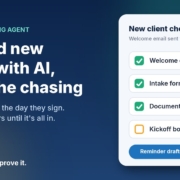
Illustration of a new client checklist with welcome email, intake form and documents ticked off and kickoff booked still open, next to the headline Onboard new clients with AI, minus the chasing

You’ve just won a new client. The proposal’s signed, everyone’s keen, and now comes the bit nobody enjoys: the welcome email, the intake form, the list of documents you need, the kickoff call to book. Then a week later you realise half of it never came back, and you’re writing “just following up on those documents” for the third time.

Onboarding is one of those jobs that’s the same every single time, which is exactly why it slips. It’s not hard work. It’s just a lot of small steps that depend on you remembering them while you’re busy doing the actual work.

In this post I’ll walk you through a simple client onboarding agent for a small business: a personal welcome the moment someone signs, a checklist that tracks what’s still missing, and polite reminders until everything’s in. You can run it with ChatGPT, Claude, Grokbot or any AI assistant, and you stay in control of every message.

Where onboarding usually breaks down

When I look at how small businesses bring on new clients (or new staff), the problems are nearly always the same:

  • The welcome is slow. The client signs on Friday and hears nothing until Tuesday. That’s the moment they’re most excited, and it goes quiet.
  • The information is scattered. The form link is in one email, the document list in another, the booking link in a text message.
  • Nobody knows what’s outstanding. Did they send the signed agreement? Did they book the kickoff? You have to go digging to find out.
  • Chasing feels awkward. So it gets put off, the project starts late, and the client wonders why things are slow.

None of these need a big new system to fix. They need one clear welcome message, one simple checklist, and someone (or something) that checks the list every couple of days.

What an AI onboarding agent actually does

The client onboarding agent in my free AI agents pack has four jobs:

  1. Notices a new client. That might be a signed proposal, a new deal in your CRM, a form submission, or simply you adding a row to a spreadsheet.
  2. Drafts a personal welcome that explains the next three steps, lists the documents you need, and includes your intake form and kickoff booking links.
  3. Adds them to a checklist so you can see at a glance what’s done and what isn’t.
  4. Chases what’s missing every couple of days with a short, friendly reminder, then tells you when everything is complete.

It works just as well for new hires as for new clients. Agencies, recruitment and staffing businesses, allied health practices, accountants and trades with a repeatable process all get a lot out of it.

The welcome: three steps, one email

A good welcome email is short and does one thing: makes it obvious what happens next. Something like:

Hi Priya, welcome aboard, and thanks for choosing Example Studio. Here’s what happens next:

1. Fill in our quick intake form (about 10 minutes): [form link]
2. Send through your logo files and your brand guide, if you have one.
3. Book your kickoff call at a time that suits: [booking link]

Once those are in, we’ll get started. Any questions, just reply to this email. Mike

Everything they need is in one place, in order, with links. No digging through old emails.

The reminder: short, specific, helpful

If something’s still missing after a couple of days, the reminder should name exactly what’s outstanding and include the link again:

Hi Priya, just a quick one. We’ve got your intake form, thanks! The only things left are your logo files and booking the kickoff call: [booking link]. Reply here if you’d like a hand with either.

Because the reminder only lists what’s actually missing, it feels helpful rather than naggy. That’s the difference between “just following up” and “here’s the one thing left”.

How to set it up in about 30 minutes

Step 1: Write down your onboarding steps

Before you touch any AI tool, list what a new client needs to do and what you need from them. For most businesses it’s three to five things: a form, a few documents, a signed agreement and a kickoff booking. If you can’t list it, the AI can’t either.

Step 2: Make a simple checklist sheet

A Google Sheet or Excel file is plenty. Use columns for name, email, form done, documents done, kickoff booked, and the date they were added. A yes or no in each column is all you need. If your form tool or booking tool can update the sheet automatically, great. If not, ticking a box yourself takes seconds.

Step 3: Give your AI assistant a clear brief

Open ChatGPT, Claude, Grokbot or any AI assistant and paste in a brief like this, filled in with your details:

You are the onboarding coordinator for [business name]. When I give you a new client’s first name and what they’ve signed up for, write a warm welcome email (no more than 150 words, Australian English) that lists what happens next in three steps, the documents we need: [document list], our intake form link: [form link], and our kickoff booking link: [booking link]. Sound friendly and down to earth. Don’t promise timeframes or results I haven’t given you.

Then add a second brief for reminders:

Write a polite reminder of about 40 words from [business name] that lists only the onboarding items still missing, with their links, and offers help if they’re stuck.

Paste in a welcome email you’ve sent before as an example, so the drafts sound like you rather than a robot.

Step 4: Draft, approve, send

When a new client signs, give the assistant their name and package and ask for the welcome. Read it, tweak anything that doesn’t sound right, and send it. Every couple of days, check the sheet, paste in who’s missing what, and ask for the reminders. It’s a few minutes of work instead of half an hour of writing from scratch.

Step 5: Automate once you trust it

Once you’ve approved a few rounds of drafts and you’re happy with them, you can connect the steps so they run on their own: a new row triggers the welcome, the sheet is checked on a schedule, and reminders go out for anything still marked “no”. The pack walks you through this. But start with approving every message. You’ll learn quickly what your clients actually get stuck on.

Keep client information safe

Onboarding often involves personal details and documents, so a little care goes a long way.

The Office of the Australian Information Commissioner’s Australian Privacy Principles quick reference sums up the basics. APP 11 says businesses covered by the Privacy Act must take reasonable steps to protect the personal information they hold from misuse, loss and unauthorised access, and APP 10 is about keeping that information accurate and up to date. Even if you’re not sure the Act applies to your business, they’re a sensible standard to follow.

The OAIC also has guidance on privacy and the use of commercially available AI products, which recommends being cautious about putting personal information, especially sensitive information, into public AI tools.

In practice, that means:

  • Give the AI only what it needs. A first name and the package they bought is enough to write a welcome. It doesn’t need their tax file number, health details or bank information.
  • Collect documents through a proper channel, like a secure upload form or your practice software, not by pasting them into a chat.
  • Keep the checklist sheet private and only share it with the people who need it.

This isn’t legal advice. If you handle health, financial or other sensitive information, check what applies to you with someone qualified.

What good onboarding gets you

The obvious win is time: no more writing welcome emails from scratch or keeping a mental list of who owes you what. But the bigger win is how the client feels. A clear, fast, organised welcome tells them they made the right call, before you’ve even started the work.

And because the agent tells you when everything’s in, you know exactly when a project is ready to start. No more kickoff calls where you realise you’re still waiting on the one file you needed most.

Frequently asked questions

Do I need special software to automate client onboarding?

No. A spreadsheet, your email and an AI assistant are enough to start. You can connect your form, booking tool or CRM later once the process is working.

How often should I send onboarding reminders?

Every couple of days is a good rhythm. Only list the items that are still missing, include the links again, and offer help. If someone still hasn’t responded after a few reminders, give them a call instead.

Can I use the same agent for onboarding new staff?

Yes. Swap the client steps for your new-hire steps, such as signing their contract, filling in their details and booking their first-day induction. The welcome and reminder briefs work the same way.

Is it safe to put client details into ChatGPT or other AI tools?

Keep it to the minimum. The OAIC recommends caution about entering personal information, particularly sensitive information, into publicly available AI tools. A first name and the service they bought is all the AI needs to write a welcome.

Which AI tool should I use?

Whichever one you already use. The briefs above work in ChatGPT, Claude, Grokbot or any AI assistant. Your clear steps and example emails matter far more than the brand of tool.

Get my AI agents (free)

My free Steal My AI Agents pack includes the client onboarding agent, plus agents for instant lead replies, follow-ups, reviews and inbox triage, with the prompts and setup steps. It works with ChatGPT, Claude, Grokbot or any AI assistant. No code needed.

Send me the agents

Rather have it set up for you? Book a free AI audit.
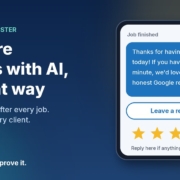
Illustration of a phone showing a thank-you text asking for an honest Google review, with a Leave a review button and five stars, next to the headline Get more reviews with AI, the right way

You finish a job, the client is happy, they say “we’ll leave you a review” and mean it. Then their week gets busy and the review never happens. Meanwhile the one client who had a bad day finds the time to write three paragraphs.

That’s not because your happy clients don’t care. It’s because nobody asked them at the right moment, in a way that took ten seconds. Asking for reviews is a small, repetitive job that’s easy to forget, which makes it a good fit for an AI assistant.

In this post I’ll show you a simple review request setup for a small business: one friendly message after every finished job, written with the AI assistant you already use, sent to every client, and set up in a way that keeps you on the right side of Google’s rules and Australian consumer law.

Why happy clients don’t leave reviews

When I talk to business owners about reviews, the same few problems come up:

  • Nobody asks. You meant to send a message once the invoice went out, then the next job started.
  • The ask comes too late. A week later the client has moved on and the job isn’t front of mind any more.
  • It’s too much effort for them. “Search for us on Google and leave a review” is three steps too many. A direct link is one tap.
  • The message feels awkward to write. So you put it off, or you send the same stiff template to everyone.

An AI review requester solves the timing and writing problems. Your Google review link solves the effort problem. Together they turn “we should ask for reviews” into something that just happens after every job.

First, the rules: ask everyone, the same way

Before we build anything, there’s one trap to avoid, because a lot of review tools fall straight into it.

A common trick is to ask clients for a rating first, then only send the Google review link to the people who score you 4 or 5 and quietly send everyone else to a private feedback form. It’s often called “review gating”, and it’s not allowed.

Google’s Maps user-generated content policy says merchants must not “discourage or prohibit negative reviews, or selectively solicit positive reviews from customers”. It also bans offering incentives such as payment, discounts or free services in exchange for a review. Google can remove reviews and restrict a Business Profile that breaks these rules.

In Australia, the ACCC says the same thing in its own way. Its page on online reviews for products and services explains that reviews should reflect people’s genuine opinions, and that any incentive for a review has to apply whether the review is positive or negative and be clearly disclosed. In its True Value Solar media release, the ACCC described a business that offered a free service only to customers who’d had a positive experience, and the program was discontinued after the ACCC investigated.

So the setup in this post follows three simple rules:

  1. Every finished job gets the same request, with the review link, whether you think they loved it or not.
  2. No incentives. No discounts, prizes or freebies for reviews.
  3. You never tell people what to write or what rating to give.

You can still invite private feedback. You just offer it alongside the review link, not instead of it. This isn’t legal advice, so if you’re unsure about anything in your industry, check with someone qualified.

What an AI review requester actually does

For a small business, the agent has three jobs:

  1. Notices a finished job. That might be an invoice marked paid, a job closed in your job app, or a row you tick off in a spreadsheet.
  2. Drafts a short, personal thank-you that mentions the actual job and includes your Google review link.
  3. Flags replies for you. If someone replies with a problem, you see it and deal with it yourself, as a person.

That’s it. One message per job, with an optional gentle reminder a few days later if they haven’t reviewed and haven’t replied. No chasing beyond that.

The message: thank them, then ask

Keep it to two or three lines, and send it the same day or the day after the job, while it’s fresh. Something like:

Hi Sarah, it’s Mike from Example Plumbing. Thanks for having us out to fix the hot water system today. If you’ve got a minute, we’d really appreciate an honest Google review: [link]. And if anything wasn’t right, just reply here and I’ll sort it out.

Notice what that message does. It thanks them for something specific, it asks for an honest review, it gives them a one-tap link, and it offers a direct line if something went wrong. Everyone gets exactly the same offer.

The reminder: one nudge, then stop

If there’s no review and no reply after about five days, one short reminder is fine:

Hi Sarah, just a quick one in case my last message got buried. Here’s that review link if you’d like to share how we went: [link]. No worries either way, and thanks again.

After that, leave it. Two messages is helpful. Five is annoying.

How to set it up in about 20 minutes

Step 1: Get your Google review link

In your Google Business Profile, look for the option to ask for reviews. Google’s tips to get more reviews explain how to create a link or QR code that takes customers straight to the review form. Save that link somewhere handy.

Step 2: Make a simple finished-jobs list

A spreadsheet is enough. Columns for the client’s name, their phone or email, what the job was, the date it finished, and whether the request and reminder have been sent. If your job or invoicing app already tracks finished jobs, use that instead.

Step 3: Give your AI assistant a clear brief

Open ChatGPT, Claude, Grokbot or any AI assistant and paste in a brief like this, filled in with your details:

You write review request messages for [business name], a [type of business] in [area]. I’ll give you a client’s first name and the job we did. Write a two- or three-line SMS from [your name] that thanks them for the specific job, asks for an honest Google review with this link: [link], and says they can reply if anything wasn’t right. Use Australian English, sound friendly and down to earth, no emojis. Never offer a discount or reward, never suggest a rating or what to write, and never change the message based on how happy you think they are.

Then add two or three messages you’ve written yourself as examples, so it picks up how you actually talk.

Step 4: Draft and approve, then send

Each afternoon, paste in the jobs you finished that day and ask for a message for each. Read them, tweak anything that doesn’t sound like you, and send. It takes a couple of minutes. Once you trust the drafts, you can connect it to your job app or SMS tool so it runs on its own, but start with approving every message.

Step 5: Reply to the reviews you get

Google’s own tips recommend replying to reviews, good and bad. Your AI assistant can draft those replies too. Just read them before posting, keep them short and specific, and never share a client’s private details in a public reply.

What to do when someone isn’t happy

Sooner or later a client will reply with a problem instead of a review. That’s the system working, not failing. You heard about it while you can still fix it.

Call them, sort it out, and don’t ask them to change or remove anything in return. If they’ve already left a negative review, reply politely, acknowledge the issue and offer to take it offline. Google’s guidance points out that a mix of positive and negative feedback often looks more trustworthy than a wall of five stars anyway.

The one thing the AI should never do is handle an unhappy client on its own. It drafts, it flags, and you take it from there.

Frequently asked questions

Can I only ask my happy clients for a review?

No. Google’s policy says businesses must not selectively ask for positive reviews or discourage negative ones, and the ACCC warns against practices that give a misleading picture of what customers think. Ask every client the same way.

Can I offer a discount for leaving a Google review?

Not on Google. Its policy bans incentives like payment, discounts or free services in exchange for reviews. The ACCC’s general rule is that any review incentive must apply regardless of whether the review is positive or negative and must be clearly disclosed, but Google doesn’t allow incentives at all, so it’s simplest not to offer them.

When is the best time to ask for a review?

As soon as the job is finished, ideally the same day or the next. The work is fresh in their mind and they’re most likely to take the minute to do it.

Is it okay to ask for private feedback as well?

Yes, as long as it sits alongside the review request rather than replacing it. Give everyone the review link and let them reply privately if they’d prefer to raise something with you directly.

Which AI tool should I use?

Whichever one you already use. The brief above works in ChatGPT, Claude, Grokbot or any AI assistant. What makes the messages good is your example messages and clear rules, not the brand of tool.

Get my AI agents (free)

My free Steal My AI Agents pack has ready-to-use agents for reviews, instant lead replies, follow-ups, client onboarding and inbox triage, with the prompts and setup steps. It works with ChatGPT, Claude, Grokbot or any AI assistant. No code needed.

Send me the agents

Rather have it set up for you? Book a free AI audit.
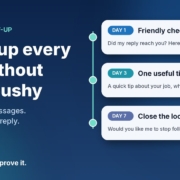
Illustration of a three-step follow-up timeline with day 1, day 3 and day 7 message cards and a green Replied: stop badge, next to the headline Follow up every lead without being pushy

Someone enquires. You reply. They say “thanks, I’ll have a think” or, more often, say nothing at all. And then life gets busy, and that lead quietly drifts off to whoever followed up next.

Most small business owners I talk to don’t lose work because their reply was bad. They lose it because there was no second message. Following up feels awkward, it’s easy to forget, and nobody wants to be the pushy business that keeps chasing.

The good news is that follow-up is one of the most rule-based jobs in your business, which makes it a great fit for AI. In this post I’ll walk you through the simple 7-day follow-up setup I use with small businesses: three short, helpful messages, written by the AI assistant you already have, approved by you, and stopped the moment someone replies.

Why follow-up falls through the cracks

It’s rarely laziness. It’s usually one of these:

  • There’s no list. Leads live across your inbox, Facebook messages, a website form and your phone. If they’re not in one place, there’s nothing to follow up from.
  • There’s no rule. “I’ll follow up in a few days” is a good intention, not a system. Without set days, it never quite happens.
  • Writing the message feels hard. You don’t want to sound desperate, so you put it off until it feels too late to bother.
  • You’re doing the actual work. When you’re on the tools or with clients all day, chasing last week’s enquiries is the first thing to go.

An AI follow-up agent fixes the last two problems straight away. A simple lead list fixes the first two, and you’ll set that up in about ten minutes below.

What a 7-day follow-up agent actually does

It’s not an automated sales machine that bombards people. For a small business, the agent does three things:

  1. Checks your lead list for people who enquired, got your first reply, and haven’t booked or replied since.
  2. Drafts the right follow-up for where they’re up to: day 1, day 3 or day 7.
  3. Stops for good as soon as the person replies, books or asks you to stop.

Three messages. That’s it. Each one has a different job, so none of them feels like a copy of the last.

Message 1 (day 1): the friendly check-in

A short note to make sure your first reply didn’t get buried, with your booking link again. Plenty of “no response” leads simply missed your message.

Message 2 (day 3): something genuinely useful

One practical tip related to what they asked about. A plumber might mention what to check before the visit. A physio might share a simple thing to avoid until the appointment. This is the message that builds trust, because it helps whether they book with you or not.

Message 3 (day 7): closing the loop

A polite “I don’t want to keep filling up your inbox. Would you like me to stop following up?” It sounds counterintuitive, but giving people an easy way out is respectful, and it often gets a reply when the first two didn’t.

How to set it up with the AI assistant you already have

You can build this today with ChatGPT, Claude, Grokbot or any AI assistant. No code, no new software.

Step 1: Start a simple lead list

Create a spreadsheet with these columns: name, contact details, date of enquiry, what they asked for, date of first reply, follow-ups sent, and status (open, booked, replied, stop). If you already use a CRM, you probably have most of this. If not, a Google Sheet or Excel file is plenty to start with.

Step 2: Write your follow-up brief

Open a new chat, project or custom assistant and give it the rules. Here’s a template you can fill in:

“You write short follow-up messages for [business name], a [type of business] in [area]. I’ll give you the lead’s first name, what they enquired about, and which follow-up this is (1, 2 or 3). Write in Australian English, in a warm, helpful tone, no more than 50 words. Follow-up 1: check they got my reply and include my booking link. Follow-up 2: share one practical tip related to their enquiry, then the booking link. Follow-up 3: politely ask whether they’d like me to stop following up. No fake urgency, no discounts unless I give you one, no more than one exclamation mark. Booking link: [link]. Sign off as [your first name].”

Save it so you can reuse it every time. That brief is your agent.

Step 3: Test it on old leads first

Pick five enquiries from the last month that went quiet. Ask your assistant for all three follow-ups for each one and read them as if you were the customer. Would you feel helped or hassled? Note anything you keep changing.

Step 4: Fix the brief, not the drafts

If you keep removing the same phrase or adding the same detail, turn it into a rule. “Never say ‘just checking in’.” “Mention we’re booked out two weeks ahead.” “Use the tip library below for message 2.” After a couple of rounds, most drafts should be ready to send with little or no editing.

Step 5: Run it once a day

Pick a regular time, such as 8am with your coffee. Look at the list, see who’s due a follow-up today, paste their details into your saved assistant, approve the draft and send. Update the row. If your AI tool supports scheduled tasks or routines, you can have it pull together the day’s due follow-ups and drafts for you each morning, so all you do is check and send.

Step 6: Track it for a month

Add one more column: “came back after follow-up?” After a month you’ll know, from your own numbers, whether follow-up is winning you work. I’d rather you trust that than anyone’s promises, including mine.

Guardrails so you’re helpful, not pushy

Stop the moment they reply

This is the most important rule. If someone replies, books or says no thanks, they come off the follow-up list immediately and you take over the conversation personally. Nothing kills trust faster than an automated “just following up!” after someone already said no.

Know the difference between a follow-up and marketing

Replying to someone’s enquiry about the job they asked about is one thing. Adding them to your newsletter or sending promotions is another. In Australia, commercial emails and messages fall under the Spam Act 2003, and the Australian Communications and Media Authority (ACMA) explains the rules in its guide to avoiding spam. In short, ACMA says you need consent to send marketing messages, and each message must identify you as the sender, include your contact details and make it easy to unsubscribe. Keep your follow-ups tied to what the person actually asked for, always sign off with your business name and contact details, and treat a “stop” as final. If you’re unsure where your messages sit, get proper advice.

Be careful with personal information

Your lead list holds names, phone numbers and email addresses. The Office of the Australian Information Commissioner (OAIC) has guidance on privacy and the use of commercially available AI products, including checking whether a tool’s terms let the provider use what you enter and, as best practice, not putting personal information into publicly available AI chatbots. The AI doesn’t need a phone number to write a good follow-up. Give it a first name and the job, and keep the contact details in your list.

Keep three messages as the limit

Three thoughtful messages over a week is attentive. Seven messages over a fortnight is annoying. If someone hasn’t responded after the closing-the-loop message, mark them as closed and let them go. They know where to find you.

When to take it further

The copy-and-paste version is a great place to start, and for many businesses it’s enough. It’s worth connecting things up properly when:

  • You’re following up more than a handful of leads each day.
  • Leads come from several sources and keeping the list up to date is becoming a job in itself.
  • You want follow-ups drafted and waiting for approval automatically, with replies detected so nobody gets chased by mistake.
  • More than one person in your team handles enquiries and you want everyone following the same rules.

That’s the kind of setup I help businesses build, and a free AI audit is the easiest way to see whether it’s worth it for you.

Follow-up works best when your first reply is fast too. If you haven’t sorted that yet, read my guide on how to reply to every new enquiry fast with AI. And if you’re still deciding which job to hand to AI first, start with my 30-minute small business AI audit.

Frequently asked questions

How many follow-ups should I send?

Three over about a week works well for most small businesses: a check-in, something useful, then a polite message offering to stop. After that, mark the lead as closed and stop contacting them.

Won’t automated follow-ups feel spammy?

Not if each message is short, relevant to what the person asked about, and stops the moment they reply. Starting with a draft-and-approve setup means you read every message before it goes out, so nothing gets sent that you wouldn’t write yourself.

Do I need a CRM for this?

No. A simple spreadsheet with each lead’s name, enquiry, dates and status is enough to start. A CRM becomes useful once you have more leads, more sources or a team sharing the work.

Is it legal to follow up people who enquired?

Following up the job someone asked you about is generally a normal part of doing business, but marketing messages are covered by the Spam Act 2003. ACMA’s guide explains the consent, identification and unsubscribe rules. Keep follow-ups tied to the original enquiry, include your business details, honour every request to stop, and get advice if you’re unsure.

Which AI tool is best for writing follow-ups?

Whichever one you already use and are comfortable with. The brief above works in ChatGPT, Claude, Grokbot or any AI assistant. The quality comes from your rules and examples, not the brand of tool.

Get the 7-Day Follow-Up agent (free)

The full follow-up prompt, setup steps and a daily routine are in my free Steal My AI Agents pack, along with agents for instant lead replies, reviews, onboarding, inbox triage and your weekly business review. It works with ChatGPT, Claude, Grokbot or any AI assistant. No code needed.

Send me the agents

Rather have it set up for you? Book a free AI audit.
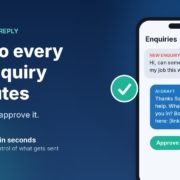
Illustration of a phone showing a new customer enquiry, an AI-drafted reply and an Approve button, with the headline 'Reply to every new enquiry in minutes'

A new enquiry lands at 10:40 on a Tuesday morning. You’re on a job, in a session with a client, or halfway through a quote. You see the notification, think “I’ll reply properly tonight”, and by the time you sit down at 8pm there are three more. One of them has already booked someone else.

If that sounds familiar, you don’t have a marketing problem. You have a reply-speed problem. And it’s one of the easiest jobs to hand to AI, as long as you set it up so you stay in charge of what actually gets sent.

In this post I’ll show you the simple “instant lead reply” setup I use with small businesses: what it is, how to build it with the AI assistant you already have, and the guardrails that stop it from embarrassing you.

Why reply speed matters more than most owners think

The best-known research on this is a 2011 Harvard Business Review article, The Short Life of Online Sales Leads by James Oldroyd, Kristina McElheran and David Elkington. It’s older and US-based, but the lesson still applies here.

The researchers did two things:

  • They tested how fast companies replied. They sent a web enquiry to 2,241 US companies and timed the response. 37% replied within an hour, 16% took one to 24 hours, 24% took more than 24 hours, and 23% never replied at all. Among the companies that replied within 30 days, the average response time was 42 hours.
  • They looked at what happens when you’re slow. In a separate study of 1.25 million sales leads across 42 companies, firms that tried to contact a lead within an hour were nearly seven times as likely to qualify that lead (have a meaningful conversation with the decision maker) as firms that tried even an hour later, and more than 60 times as likely as firms that waited 24 hours or longer.

You don’t need to take those exact multiples as gospel for your business. The direction is the point: people who enquire are usually ready to talk right now, and that window closes fast. If you’re paying for ads, SEO or a directory listing, a slow reply quietly wastes the money you spent getting that enquiry.

What an “instant lead reply” agent actually does

Forget the idea of a robot taking over your inbox. For a small business, an instant lead reply agent does three small things well:

  1. Reads the enquiry and works out what the person actually wants.
  2. Drafts a short, friendly reply in your voice that shows you read their message, asks one useful question, and offers a next step (usually a booking link or a call).
  3. Hands it to you to approve before anything is sent.

That last step is the important one. You’re not removing yourself from the conversation. You’re removing the blank-page part, so replying takes you 30 seconds between jobs instead of 10 minutes at night.

Why “draft, then approve” is the right starting point

AI assistants are very good at writing a polite, relevant first reply. They’re not good at knowing your current availability, your pricing for a tricky job, or the fact that you don’t service that suburb any more. Keeping a human approval step means a wrong guess never reaches a customer. Once you’ve seen a few weeks of drafts and trust them, you can decide whether any replies are safe to automate further.

How to set it up with the AI assistant you already have

You can build a working version of this today with ChatGPT, Claude, Grokbot or any AI assistant. No code needed.

Step 1: Write your business brief

Open a new chat (or a project, custom instructions or custom assistant, if your tool has them) and give it the context a new receptionist would need. Here’s a template you can fill in:

“You help me reply to new enquiries for [business name], a [type of business] in [area]. We do [main services]. We don’t do [things you don’t do]. When I paste an enquiry, draft a reply of no more than 80 words in Australian English. Thank them by first name, mention their specific need so they know a real person read it, ask ONE question that helps me qualify the job (for example, their suburb or timeframe), and offer this booking link: [link]. Never quote prices or promise dates. If the message looks like spam, just reply SKIP. Sign off as [your first name].”

Save it so you can reuse it. That brief is the whole “agent”. Everything else is just getting enquiries in front of it faster.

Step 2: Test it on your last ten enquiries

Before you use it on new leads, scroll back through your inbox or Facebook messages and paste in your last ten enquiries one by one. Read every draft and ask yourself: would I be happy sending this? Note anything you keep fixing.

Step 3: Fix the brief, not the drafts

If you keep changing the same thing, add a rule to the brief. “Don’t use exclamation marks.” “Mention we’re closed on Sundays.” “If they ask about emergency call-outs, give them our phone number.” After a round or two of tweaks, most drafts should need little or no editing.

Step 4: Make it part of your day

Pick a trigger you’ll actually stick to. For most owners, it’s simple: when an enquiry notification comes in, copy it into your saved assistant, check the draft, send. Many AI assistants have a phone app, so you can do this from the ute or between clients. If your tool supports scheduled tasks or routines, you can also set a midday and end-of-day check that pulls together any enquiries you haven’t answered yet.

Step 5: Track one number for two weeks

Keep a simple note of how long it took you to reply to each enquiry, before and after. That’s your honest result. I’d much rather you measure it in your own business than rely on anyone’s promise, including mine.

Guardrails that keep you out of trouble

Speed is great. Speed plus a wrong answer is not. These are the rules I build into every lead reply setup.

Never let it quote, promise or diagnose

Prices, dates, availability and anything that sounds like professional advice stay with you. The AI’s job is to start the conversation and get the booking, not close the deal.

Be careful with personal information

Enquiries contain names, phone numbers and sometimes sensitive details. The Office of the Australian Information Commissioner (OAIC) has published guidance on privacy and the use of commercially available AI products. Its advice includes checking whether a tool’s terms let the provider access or train on what you type in, building in human oversight, and, as a matter of best practice, not entering personal information (especially sensitive information) into publicly available AI chatbots.

In practice, that means a few simple habits: use a business plan with data controls where you can, strip out details the AI doesn’t need (it can write a great reply with just a first name and the request), and never paste in health, financial or other sensitive information. If you’re in health, finance or law, get proper advice before going further.

Review the drafts every week

Spend five minutes on Friday skimming the week’s replies. Look for anything that’s drifted off-tone or repeated a mistake, and update the brief. Treat it like a new staff member: it gets better with feedback.

When to go beyond copy and paste

The copy-and-paste version works, and for plenty of businesses it’s all you’ll ever need. It’s worth taking the next step when:

  • You’re getting enough enquiries that even 30 seconds each adds up.
  • Leads come in from several places (website form, Facebook, Google, email) and some slip through the cracks.
  • You want follow-ups to happen automatically for people who didn’t book.
  • You want your team replying the same way, with the same rules.

At that point, it’s about connecting your enquiry sources, CRM and inbox so drafts are waiting for you, rather than you going to find them. That’s the kind of thing I help businesses set up, and you can start with a free AI audit to see whether it’s worth it for you.

If you haven’t yet worked out which job to hand to AI first, start with my 30-minute small business AI audit. For most service businesses, replying to new enquiries comes out at or near the top.

Frequently asked questions

Will customers know the reply was written by AI?

With the draft-and-approve setup, you’re reading and sending every reply yourself, so it’s your message, just written faster. If you move to a chatbot that replies without you, tell people they’re talking to an AI assistant. It’s what the OAIC recommends, and customers generally prefer honesty.

Do I need special software for this?

No. A saved brief in ChatGPT, Claude, Grokbot or any AI assistant is enough to start. Connecting it to your website form, CRM or inbox is optional and only worth doing once the basic version is working for you.

What if the AI gets something wrong?

That’s exactly why you approve every draft at the start. When you spot a mistake, add a rule to your brief so it doesn’t happen again. Keep prices, dates and anything resembling professional advice off-limits for the AI.

Is it OK to paste customer enquiries into an AI tool?

Check your tool’s data and privacy settings first, use a business plan with data controls where possible, and only include what the AI needs to write the reply. Never paste sensitive information such as health or financial details. The OAIC’s guidance on commercially available AI products is a good plain-English starting point.

How fast should I be replying?

As fast as you reasonably can. The Harvard Business Review research above found leads contacted within an hour were far more likely to turn into a real conversation. Within an hour during business hours is a good goal for most small businesses.

Get the Instant Lead Reply agent (free)

The full lead reply prompt, setup steps and a daily routine are in my free Steal My AI Agents pack, along with five other agents for follow-up, reviews, onboarding, inbox triage and your weekly business review. It works with ChatGPT, Claude, Grokbot or any AI assistant. No code needed.

Send me the agents

Rather have it set up for you? Book a free AI audit.
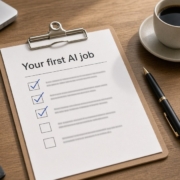
Clipboard checklist titled Your first AI job with ticked boxes on a desk, showing where to start with AI in a small business

Everyone’s telling you to “use AI”. Your accountant mentions it, your competitors post about it, and your inbox is full of webinars promising it’ll change everything. But when you sit down on a Tuesday night and open ChatGPT or Claude, you stare at the blank box and think: what do I actually give it to do?

That’s the real problem for most small businesses I talk to. It isn’t that AI doesn’t work. It’s that nobody has shown you where to start in your business. So in this post I’ll walk you through the 30-minute audit I use to find the first job worth handing to AI. You don’t need any tech skills, and you don’t need to buy anything.

Why “I don’t know where to start” is the real blocker

You’re not alone in this. The National AI Centre runs a monthly survey of Australian small and medium businesses, and its AI adoption insights for December 2025 to February 2026 found three big reasons businesses are holding off:

  • Around 65% of businesses not adopting AI pointed to trust, either distrust of AI making decisions or wanting to keep human control of their processes.
  • 54% said AI isn’t relevant to their business.
  • 19% said they simply don’t know how to use AI in their business.

The Centre’s own take is that the “don’t know how” group isn’t against AI at all. They just don’t have a clear entry point. I’d add that the “not relevant” and “trust” groups often come back to the same thing: they’ve never seen a small, safe, useful example in a business like theirs.

The audit below fixes that. Instead of asking “what can AI do?” (answer: too much to be useful), you ask “what do I do every week that AI could take off my plate?”

Step 1: List your weekly repeat tasks (10 minutes)

Grab a notepad or open a blank doc. Set a timer for 10 minutes and write down every task you or your team do more than once a week. Don’t filter yet. Just get them out of your head.

Prompts to jog your memory

  • Enquiries: replying to new leads, answering the same questions about price, area or availability.
  • Quotes and follow-up: writing quotes, chasing quotes that went quiet.
  • Email: sorting the inbox, writing replies you’ve written a hundred times before.
  • Customers: onboarding new clients, sending reminders, asking for reviews.
  • Admin: weekly numbers, job notes, rosters, supplier emails.
  • Marketing: social posts, newsletters, website updates.

Most owners I work with end up with 15 to 25 tasks. If you’ve got fewer than ten, think back over the last week day by day.

Step 2: Score each task for time, frequency and risk (10 minutes)

Now give each task three quick scores out of 3. Keep it rough; this isn’t a spreadsheet exercise.

Time

How long does it take each time? 1 = a couple of minutes, 2 = 10 to 20 minutes, 3 = half an hour or more.

Frequency

How often does it happen? 1 = weekly, 2 = a few times a week, 3 = daily or more.

Risk

What happens if the AI gets it a bit wrong? 1 = nothing much, because you’d read it before it goes anywhere. 2 = mildly embarrassing. 3 = it affects money, legal obligations, safety or someone’s private information.

Then work out a simple score: time + frequency − risk. The highest numbers are your best candidates.

An example (made up, to show how it works)

Here’s what a scoring sheet might look like for a fictional plumbing business. These are example numbers only:

  • Replying to new website enquiries: time 2, frequency 3, risk 1, so a score of 4.
  • Chasing quotes that went quiet: time 2, frequency 2, risk 1, so a score of 3.
  • Writing the monthly newsletter: time 3, frequency 1, risk 1, so a score of 3.
  • Reconciling invoices with the bank: time 3, frequency 2, risk 3, so a score of 2.
  • Answering a complaint about a job: time 2, frequency 1, risk 3, so a score of 0.

Notice the invoice task scores lower even though it takes ages. That’s on purpose. Your first AI job should be something where a mistake costs you nothing, because you’ll be checking everything it writes while you learn.

Step 3: Pick one low-risk task to start (5 minutes)

Circle the single highest-scoring task with a risk of 1. Just one. I know it’s tempting to try to automate half the business in a weekend, but the owners who stick with AI are the ones who get one small win first and build from there.

What makes a good first job

  • AI drafts, you approve. Nothing goes to a customer until you’ve read it. That keeps you in control, which is exactly the thing the trust-worried group in the survey cares about.
  • It’s mostly writing or sorting. Today’s AI assistants are very good at drafting replies, summarising, and putting things into categories.
  • You can explain it in two sentences. If you can’t describe the job simply, the AI won’t do it well either.

What to leave for later

Anything that sends money, makes promises on price or timing without your sign-off, handles sensitive personal or health information, or replaces a conversation a customer expects to have with a real person. Those can come later, with proper guardrails.

Step 4: Test it for a week, then measure the time saved (5 minutes to set up)

Here’s the simplest way to run the test using ChatGPT, Claude, Grokbot or any AI assistant you already have.

Write a short brief

Open a new chat and give it the context a new staff member would need. For example:

“You help me reply to new enquiries for my plumbing business in Brisbane’s northern suburbs. We do blocked drains, hot water and general maintenance. We don’t do new builds. Keep replies friendly, short and in Australian English. Always ask for their suburb and a good time to call. Never quote a price. I’ll paste each enquiry and you draft a reply for me to check.”

Save that brief somewhere so you can reuse it. Many assistants let you save it as a project, custom instructions or a custom assistant, so you don’t have to paste it every time.

Keep a simple log

For one week, every time you do the task, jot down two things: roughly how long it took with AI helping, and whether the draft needed small tweaks or a full rewrite. At the end of the week, compare that with how long the task used to take you. That’s your honest, real-world number, and it’s worth far more than anyone’s marketing claim (including mine).

Tweak the brief, not the output

If you keep fixing the same thing in the drafts, add a line to the brief instead. “Don’t use exclamation marks.” “Mention we’re closed on Sundays.” After a few days the drafts usually need far less editing.

Step 5: When to get outside help

You can absolutely do all of this yourself. But it’s worth getting a second pair of eyes when:

  • You’ve done the list and can’t decide which task to pick, or everything looks high-risk.
  • Your first test worked and you want to connect it to your CRM, inbox or website so it runs with less copying and pasting.
  • You’ve got a team and need everyone using AI the same, safe way.
  • You want to know whether a tool you’re being sold is actually worth it.

That’s the kind of thing I help with in a free AI audit. We go through your weekly tasks together and pick the first few jobs that make sense for your business, with no obligation to buy anything.

If you’d like more background on why this matters for Aussie businesses, I’ve also written about why small businesses in Australia should embrace AI and how custom GPTs can help with day-to-day operations.

What to do this week

  1. Today: spend 10 minutes listing your weekly repeat tasks.
  2. Tomorrow: score them for time, frequency and risk, and circle one low-risk winner.
  3. The next day: write a short brief for your AI assistant and start using it on that one task.
  4. End of the week: check your log. Did it save time? What would you change in the brief?

That’s it. One task, one week, one honest result. Once you’ve got that, picking the second job gets a lot easier.

Frequently asked questions

Do I need to pay for an AI tool to do this audit?

No. The audit itself is just a notepad and 30 minutes. For the test week, a free or entry-level plan of ChatGPT, Claude, Grokbot or a similar assistant is usually enough. If you’re handling customer details, check the tool’s data and privacy settings first, and consider a business plan that gives you more control over your data.

What if AI isn’t relevant to my industry?

That’s one of the most common things owners say, and it’s often because they’ve only seen flashy examples. Almost every business writes emails, answers enquiries, follows up quotes and does weekly admin. Those everyday writing and sorting jobs are where AI tends to help first, whatever your trade.

Will AI make decisions without me?

Only if you set it up that way. For your first job, use the “AI drafts, you approve” rule: nothing goes out until you’ve read and sent it yourself. You stay in control, and you’ll quickly learn what it’s good and not so good at.

How long until I see a result?

It depends on the task and how often it comes up, so I won’t promise a number. The point of the one-week test is to find out for your own business. If the task happens daily, you’ll know within a few days whether it’s worth keeping.

What if my first test doesn’t work?

That’s useful too. Usually the brief needs more detail, or the task needs more judgement than AI can safely give it right now. Go back to your list and try the next highest-scoring low-risk task.

Want help picking your first AI job?

Book a free AI audit and we’ll go through your weekly tasks together, score them, and pick the first jobs worth handing to AI in your business.

Get your free AI audit

Ready to talk now? Book a time here.