Quotes win jobs. But for most small business owners I talk to, writing them is the job nobody wants to do. You’ve just finished a site visit or a discovery call, you know exactly what the customer needs, and then the quote sits in your head for three days because you’re flat out. By the time it lands in their inbox, they’ve often gone with whoever got back to them first.
The good news is that this is one of the easiest places to start using AI in your business. You don’t need new software, you don’t need to change how you price, and you stay in control of every number. In this post I’ll walk you through how to write quotes faster with AI, step by step, using ChatGPT, Claude, Grokbot or any AI assistant you already have.
Why quotes take so long (and why speed matters)
When I look at how a business actually produces a quote, the slow part is almost never the pricing. It’s everything around it:
- Turning rough notes into clear scope. Your notes say “bathroom, retile, check plumbing, maybe vanity”. The customer needs to read what’s included and what isn’t.
- Starting from a blank page. Even with a template, you end up rewriting the intro, the inclusions and the terms every single time.
- Getting the tone right. You want it to sound professional and friendly, not like a legal document.
- Remembering the follow-up. Once it’s sent, it’s easy to forget to check in.
Every one of those is a writing task, and writing is exactly what AI assistants are good at. The pricing and judgement stay with you. The words come together much faster.
What AI should and shouldn’t do in your quotes
Before you start, it’s worth being clear about the line. I recommend this split to every business I work with:
Let AI handle
- Turning your notes or a call transcript into a clean scope of work
- Writing a short, personal intro that shows you listened
- Listing inclusions, exclusions and assumptions so there are fewer surprises later
- Drafting the cover email and a polite follow-up
Keep with you
- Every price, rate and total. Never let an AI make up a number.
- Your terms, warranties and anything with legal weight
- The final read-through before it goes to the customer
Think of the AI as a fast, tidy assistant who drafts the quote while you check it. Nothing goes out until you’ve read it.
Step 1: Capture the job while it’s fresh
The quality of the quote depends on what you give the AI. Straight after the site visit or call, spend two minutes getting the details down. That can be:
- A voice memo on your phone, transcribed with your phone’s built-in dictation
- A few dot points typed in the car
- The transcript or notes from a video call
Don’t worry about making it neat. Include what the customer asked for, anything you noticed, what they care about most (price, timing, quality), and anything you’re not sure about yet. Messy is fine. The AI’s job is to tidy it.
Step 2: Give the AI your quote structure once
The trick to consistent quotes is giving the AI the same structure every time. Here’s a brief you can copy and save:
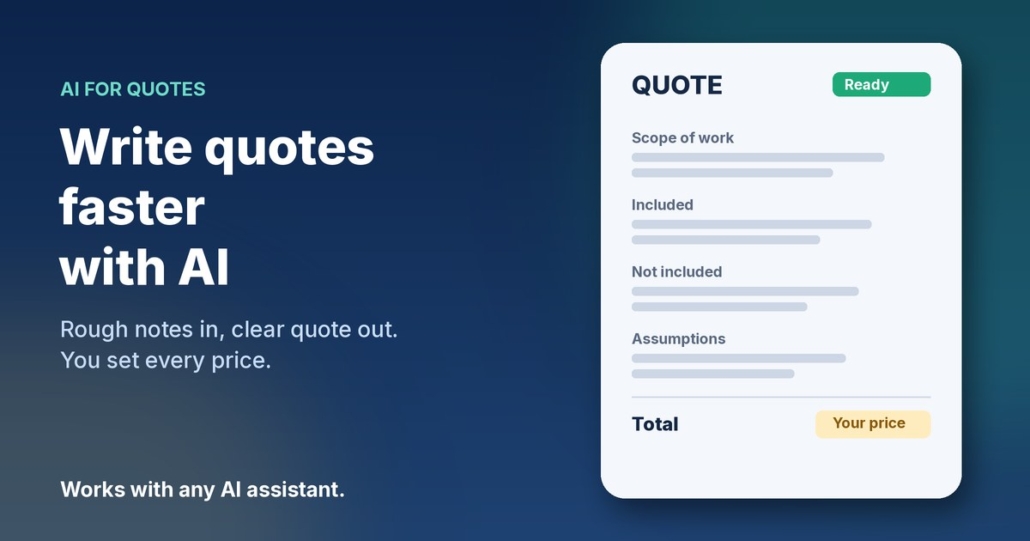
You help me write quotes for my business, [business name], which does [what you do] in [area]. Using my notes below, write a quote draft with these sections: a two-sentence personal intro that references what the customer told me; a scope of work as clear dot points; what’s included; what’s not included; assumptions I’m making; next steps to accept. Use plain Australian English and a friendly, professional tone. Do not add any prices, rates, dates or guarantees. Leave [PRICE] where a price goes. If anything in my notes is unclear, list your questions at the end instead of guessing.
My notes: [paste notes]
That last instruction matters. Telling the AI to ask questions rather than guess is what keeps the draft accurate.
Step 3: Add your pricing yourself
Once the draft comes back, read through the scope and fill in the prices from your own price list or costing sheet. This is also a good moment to sanity check the scope. If the AI has listed something you didn’t mean to include, take it out. If its questions at the end point to a gap, sort it out with the customer before you send.
If you quote the same kinds of jobs often, you can paste your standard price list into the brief and ask the AI to suggest which line items apply. Just treat that as a suggestion and check every figure against your own numbers.
Step 4: Write the cover email and the follow-up
A good quote deserves a good email. Ask the AI:
Write a short email to [customer name] sending this quote. Thank them for their time, mention the one thing they said mattered most to them, and tell them how to accept or ask questions. Under 120 words. Then write a friendly follow-up email I can send in three days if I haven’t heard back, which isn’t pushy and gives them an easy way to say no.
Save the follow-up as a draft and set a reminder in your calendar or CRM. That one habit alone tends to win back quotes that would otherwise go quiet. If you want more on this, I wrote a full guide on how to follow up leads with AI without being pushy.
Step 5: Build a quote library over time
Every quote you send teaches you something. Keep the ones that won the job in a folder. After a few weeks you’ll have a small library of real examples, and you can paste one into your brief and say “match the style and level of detail of this quote”. Your drafts will start sounding more like you, and you’ll need fewer edits each time.
A quick example
Here’s how this might look for a painter. The notes from the site visit say:
“Sarah, 3 bed weatherboard, exterior only, some flaking on north side, wants it done before Christmas, worried about mess with dog, colour already picked.”
From that, the AI can produce an intro that mentions finishing before Christmas and keeping the yard safe for the dog, a scope that covers prep and repair of the flaking boards, inclusions like protecting garden beds, exclusions like interior work, and an assumption that the colour is already chosen. You add the price and the start date, read it through, and send. What used to be a job for Sunday night becomes a ten-minute task in the van.
When to move from copy and paste to an AI agent
Copy and paste is the right place to start. It’s free, it’s safe and you learn what good looks like. Once you’re doing it every day, it might be time for an AI agent that does more of the legwork for you, such as pulling the notes from your call recordings, filling in your quote template and preparing the follow-up for you to approve.
That’s the idea behind my AI agents pack. They’re ready-made agents for jobs like replying to enquiries, following up leads and keeping your records up to date, and they work with ChatGPT, Claude, Grokbot or any AI assistant. You stay in control and approve anything that goes to a customer.
A note on privacy
Quotes often include customer names, addresses and details about their home or business. Before you paste that into any AI tool, check the tool’s privacy and data settings, and only share what you need to. Many tools let you turn off using your chats for training. If you’re unsure, leave out the customer’s surname and address in the draft and add them in at the end.
Frequently asked questions
Can AI work out my prices for me?
I don’t recommend it. AI can suggest which line items from your own price list might apply, but every number should come from you. An AI that guesses a price can cost you the job or your margin.
Which AI tool is best for writing quotes?
Any of the main assistants will do the job well, including ChatGPT, Claude and Grokbot. The brief you give it matters far more than which tool you pick.
Will customers know the quote was written with AI?
Not if you do it properly. Because the draft starts from your own notes and you edit it before sending, it reads like you on a good day. The personal intro and the details from the visit are what make it feel human.
Do I need to change my quoting software?
No. You can paste the AI’s draft into whatever you use now, whether that’s a Word template, your accounting software or your CRM.
How long does it take to set up?
About fifteen minutes. Write your brief once, save it somewhere handy, and try it on your next quote.
Want help getting quotes out faster?
If you’d like to see where AI could save you the most time, from quotes to follow-ups to admin, book an AI audit and we’ll map it out together. Or, if you’d rather get started yourself, grab the AI agents pack and have your first agent running this week.