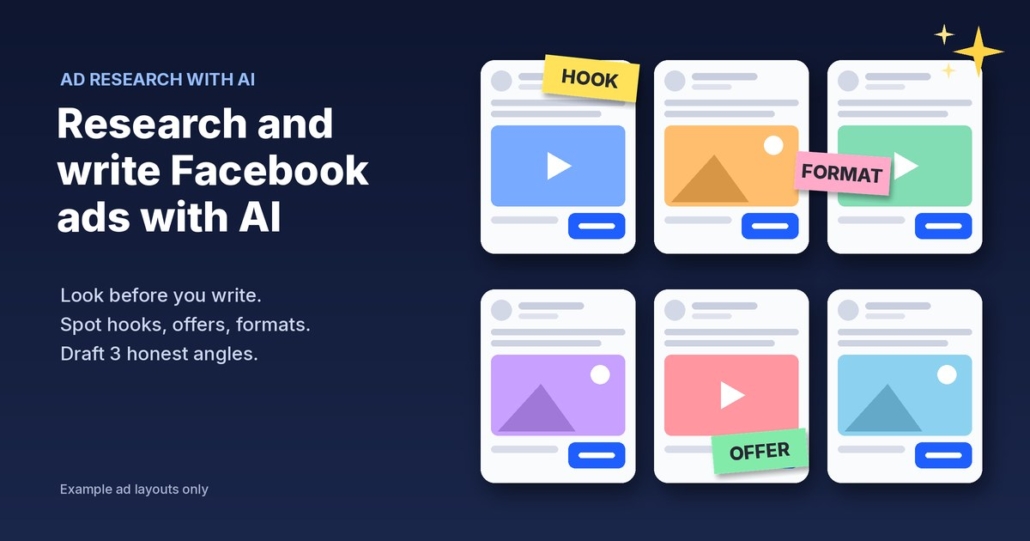
Most small business owners I talk to run Facebook ads the same way: boost a post now and then, get a few likes and wonder whether it was worth it. The real problem isn’t the budget. It’s that they’re writing ads from a blank page with no idea what kind of ad actually works in their industry.
This post shows you how to research and write Facebook ads with AI. First you look at what businesses like yours are already running. Then you get AI to break down the patterns and draft three ad angles in your own voice, without crossing any lines with the ACCC. It works with ChatGPT, Claude, Grokbot or any AI assistant, and you make every final call.
Step 1: Look before you write
Before you write a single word, go and see what’s already out there. Meta has a free, public tool for this called the Meta Ad Library. You don’t need an ads account to use it.
According to Meta’s own help page, About the Meta Ad Library, the library contains all active ads shown across Meta technologies, including Facebook and Instagram. For each everyday business ad, you can see the ad itself (the creative), the Page it ran from and the date it started running.
How to search it
- Open the Ad Library, set the country to Australia and choose “All ads”.
- Search for a competitor’s business name, or a keyword for your service, such as “solar installer”, “physio” or “bookkeeper”.
- Open the ads and look at the “Started running on” date, the image or video, the first line of text and the button.
Build a short watch list
Pick five to ten businesses: your direct local competitors, plus two or three businesses in the same industry in other cities that look like they’ve got their marketing sorted.
Save what you find in a simple spreadsheet: business name, start date, format (image, video, carousel), the opening line, the offer (free quote, free inspection, a guide) and the button. Copy the text word for word so your AI assistant can work with it later.
Step 2: Understand what long-running ads tell you (and what they don’t)
The Ad Library tells you when each ad started running. If a business has kept the same ad live for months, there’s a decent chance it’s doing something for them.
But be careful. That’s a clue, not proof. In my own ad research I use a simple rule: how long an ad has run is a survival signal, not proof of performance. An ad might still be running because:
- It genuinely works for them
- Nobody has checked their ads account in months
- It’s spending only a few dollars a day
Meta’s help page is clear about what you can’t see for everyday business ads that aren’t about social issues, elections or politics (or shown in the EU or UK). You only get the start date, and inactive ads aren’t kept in the library. Spend and reach figures are shown for political and issue ads, not for a local plumber’s lead ad. So you can see what a competitor is running, but not how well it’s going.
So look for patterns across several businesses. If three businesses in your industry all lead with a free inspection, that tells you something. One ad on its own tells you very little.
Step 3: Get AI to break down the hooks, offers and formats
Paste your spreadsheet (or the copied ad text) into your AI assistant with a prompt like this:
“Here are Facebook ads currently running from businesses in my industry, with the date each one started. Group them by: 1) the hook (the opening line or idea that grabs attention), 2) the offer (what people get if they act), 3) the format (image, video, carousel) and 4) the call to action. Point out which patterns show up across several businesses, and which ads have been running longest. Don’t guess at results or spend, because I don’t have that data. Only use what’s in the list.”
That last line matters. AI assistants will happily claim “this ad is clearly performing well” if you let them. Tell it to stick to the evidence.
What you’re looking for
- Hooks: Do they lead with a question, a problem (“Sick of …?”), a local angle (“Brisbane homeowners …”), or a price or offer?
- Offers: Is it a free quote, a free check-up, a guide, a limited booking window or a straight “call us”?
- Formats: Talking to camera, before-and-after photos or simple graphics?
- Gaps: What is nobody saying? If every competitor talks about price, a business that talks about reliability or communication stands out.
The gaps are often the most useful part. You’re looking for the angle nobody else is using.
Step 4: Draft three ad angles in your voice
Now write three ads, each on a different angle, so you can test which one your customers respond to.
Give the AI what it needs
The more real material you give it, the less generic the ads. Paste in:
- A few paragraphs you’ve written yourself (emails, a past post, your About page) so it can match your voice
- Your real offer and who it’s for
- The real questions and objections customers raise before they buy
- The patterns and gaps from Step 3
Then ask:
“Using my writing samples, my offer and the patterns above, write three Facebook ad drafts. Each one uses a different angle: one problem-led, one offer-led and one that fills a gap the competitors aren’t covering. Each ad needs a short opening line, two to four sentences of body copy, one clear next step and a suggested image or short video idea. Use Australian English. Don’t include any stats, results, prices or testimonials that I haven’t given you. Borrow ideas and angles only, not anyone else’s wording.”
One ad, one next step
Every ad should ask people to do one thing: book a check-up, get a quote or download the guide. Ask for three things and they’ll do none. The page they land on should match the ad too. If the ad promises a free inspection, the page should open with that offer, not your company history.
Edit like a human
Read every draft out loud and cut anything that sounds like a brochure. Swap generic lines for something only you would say: your suburb, the thing customers always thank you for. Use real photos or video of your work rather than stock images.
If you’re also posting organically, use the same angles in your social posts. My guide on planning a month of social media posts with AI shows how.
Step 5: Stay honest (the ACCC is watching ads too)
AI makes it easy to write confident copy that gets you into trouble. The Australian Competition and Consumer Commission’s guide on false or misleading claims says any claim a business makes must be accurate, truthful and based on reasonable grounds, and that a business must be able to prove any claim it advertises. It specifically covers advertising, social media and testimonials, and it makes no difference whether you meant to mislead or not.
The ACCC’s page on online reviews also says it’s against the law for a business to create fake or misleading reviews, or to arrange for others to create them.
In practice, before any ad goes live:
- Check every number. If the AI wrote “save 40%” or “500+ happy customers” and you can’t prove it, delete it.
- Only use real testimonials from real customers, quoted accurately, with their permission.
- Don’t copy competitors’ ads. Borrow the angle, never their words, images or brand.
- Don’t promise results you can’t back up. “Double your leads in 30 days” needs real evidence.
For honest proof, use real reviews. My post on getting more Google reviews with AI covers how to ask the right way.
This is general information, not legal advice. If you’re unsure about a claim, read the ACCC’s guidance in full or talk to an adviser.
Want this done every morning?
Doing this research every week is where you start to spot trends: new ads appearing, old ones stopping, offers changing before the busy season. I’ve built an AI agent that does this for me every weekday morning. It checks a watch list in the Ad Library, flags what’s new, stopped or long-running, and drafts ad ideas for me to react to. I’ve written it up as a free guide: Steal My AI Ad Research Agent.
What to do this week
- Monday: Search the Meta Ad Library for five to ten businesses like yours and record their ads in a spreadsheet.
- Tuesday: Paste the list into your AI assistant and get it to break down hooks, offers, formats and gaps.
- Wednesday: Give it your writing samples, real offer and customer questions, and draft three ad angles.
- Thursday: Edit them in your own voice, check every claim against the ACCC rules and line up real photos or video.
- Friday: Launch the three angles with a small test budget you’re comfortable with and note which one gets real enquiries, not just likes.
FAQ
Can I see how much my competitors spend on Facebook ads?
Not for everyday business ads. Meta’s Ad Library shows the ad, the Page that ran it and the date it started. Spend and reach ranges are only shown for ads about social issues, elections or politics, and for some ads delivered in the EU and UK.
Is it OK to copy a competitor’s Facebook ad?
No. Use their ads to learn what angles and offers are common in your industry, then write your own in your own words with your own photos. Copying someone’s wording, images or branding can mislead customers and may breach their rights.
Does a long-running ad mean it’s working?
Not necessarily. A long run time suggests the advertiser is happy to keep paying for it, but it isn’t proof of results. Look for patterns across several businesses.
Which AI tool should I use to write Facebook ads?
Any good AI assistant works, including ChatGPT, Claude or Grokbot. What matters more is what you give it: your real offer, examples of your writing, real customer questions and clear instructions not to invent stats, results or testimonials.
Want better ad ideas without the guesswork?
Grab the free Steal My AI Agents pack: ready-to-use agents for lead replies, follow-up, reviews, onboarding, inbox triage and a weekly business review, so the enquiries your ads bring in get handled properly. It works with ChatGPT, Claude, Grokbot or any AI assistant. Want help researching your market and setting up your ads with AI? Book a free AI audit.