Here’s a pattern I see in a lot of small businesses. The owner has been using ChatGPT or Claude for months and loves it. They’ve told the team to “start using AI”, maybe even paid for a few licences. And then… not much happens. One person uses it for everything, a couple try it once and give up, and the rest quietly carry on the old way.
That’s not a people problem. It’s a setup problem. “Use AI more” isn’t a job anyone can do. In this post I’ll show you how to train staff to use AI without a big rollout, a training budget or a three-month change program: pick one shared job, hand people a prompt that already works, set a few simple rules, share wins every week and be clear about who checks the output.
Why “just use AI” doesn’t work
When you give someone a blank chat box and no direction, they have to work out three things on their own: what to use it for, what to type, and whether the answer is safe to send. Most people will try once, get a generic answer and decide it’s not for them.
The research backs this up. In August 2026, NAB surveyed Australian SMEs for its report Beyond the Hype: What SMEs Want from AI. The strongest confidence trigger was seeing a working example in a business like theirs, nominated by 32% of SMEs and well ahead of every other option. People want proof that it works on their kind of work, not a pep talk.
The Australian Government found something similar in its whole-of-government trial of Microsoft 365 Copilot. The Digital Transformation Agency’s evaluation report found training was most effective when it was tailored to the user’s role and agency context. Participants asked for cheat sheets with prompts aligned to their roles, and many said they learnt the most useful ways to use it through informal forums like lunch-and-learns. That’s the whole approach in this post, scaled down to a small team.
Step 1: Start with one shared job, not “use AI more”
Pick one task that several people on your team already do every week. Not the most impressive use of AI, just the most common one. The goal is for everyone to get one real win in the first week.
What makes a good first job
- It happens often. Daily or weekly, so people get plenty of practice.
- It’s mostly writing or sorting. Enquiry replies, follow-up emails, job notes, meeting summaries and quote cover letters are all good candidates.
- Mistakes are easy to catch. A person reads it before it goes anywhere, so a weak draft costs a minute, not a customer.
- People don’t love doing it. Nothing builds buy-in faster than taking away a task everyone puts off.
Example: a trades business
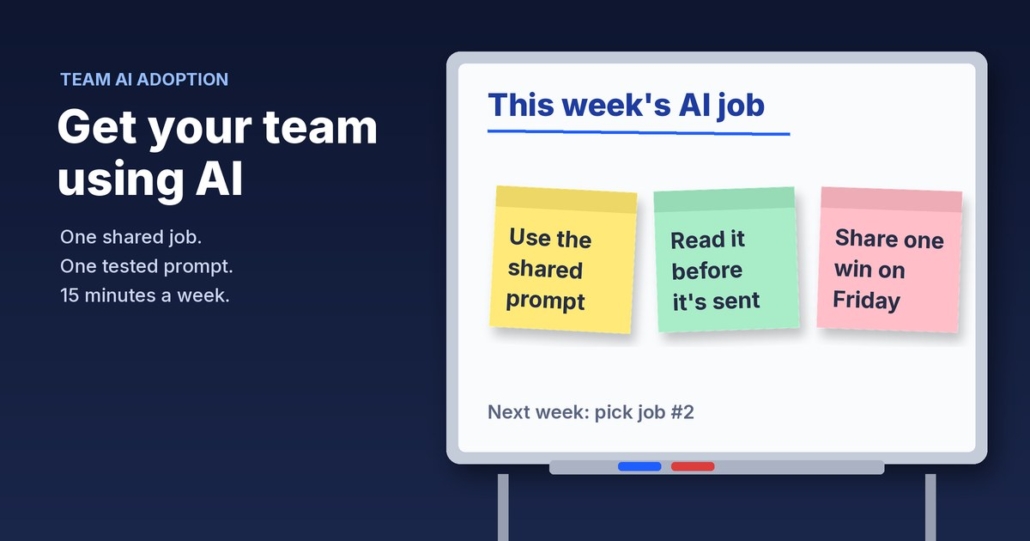
Say you run a plumbing business with an office manager and four techs. A good first job is turning a tech’s rough job notes into a tidy summary for the customer. Everyone touches it, it happens every day, and the office manager reads every one before it goes out anyway. That’s your “AI job of the week”. Write it on a whiteboard if you have to.
Step 2: Give people a tested prompt, not a blank box
This is the biggest difference between teams that use AI and teams that don’t. Before you ask anyone to use it, write the prompt yourself, test it on five or six real examples and fix it until the output is good. Then hand it over ready to go.
What a good team prompt includes
- The role: “You are writing on behalf of [business name], a plumbing business in Brisbane.”
- The task: “Turn these job notes into a short, friendly summary for the customer.”
- The rules: “Use Australian English. Keep it under 120 words. Don’t mention prices unless they’re in the notes. Never promise a time we haven’t agreed.”
- An example: paste one summary you were happy with, so the AI copies your tone.
- The input: a clear spot where the person pastes their notes.
Save it somewhere everyone can find it: a shared doc, a pinned message in your team chat or a custom GPT or Claude project. If you’ve already written SOPs with AI, add the prompt to the matching SOP so the process and the prompt live together.
If you’d rather not start from scratch, the free Steal My AI Agents pack gives you ready-made, tested prompts for lead replies, follow-ups, reviews, onboarding, inbox triage and a weekly business review. It works with ChatGPT, Claude, Grokbot or any AI assistant, so your team can use whatever you already pay for.
Step 3: Write a one-page “AI do’s and don’ts”
People hold back when they’re not sure what’s allowed. A single page of plain rules removes that fear and protects your business at the same time. NAB’s survey found SMEs want exactly this kind of support: data-security guidance and simple do’s and don’ts for getting started.
A starting list
- Do use the approved tools and the shared prompts.
- Do read every word before anything goes to a customer.
- Do tell us when the AI gets something wrong, so we can fix the prompt.
- Don’t paste in passwords, bank details, health information or anything a customer told you in confidence.
- Don’t let AI make promises about prices, timeframes or warranties.
- Don’t use personal free accounts for business work.
Keep it to one page and stick it where people work. For the data side in more detail, my guide on whether AI is safe for small business covers what to keep out of AI tools and how to stay in control.
Step 4: Run a 15-minute show-and-tell every week
This is where adoption actually happens. Once a week, at the start of an existing team meeting, give it 15 minutes. Each person shares one thing:
- something AI did well this week,
- something it got wrong, or
- a new job they think it could help with.
Seeing a teammate save half an hour on a job they also do is far more convincing than anything you can say as the boss. It’s the same “working example in a business like mine” effect NAB found, just closer to home. The good ideas become next week’s AI job, and the prompt gets improved every time someone reports a problem.
Keep it light
No slides, no scoring and no pressure. If someone hasn’t used it this week, that’s fine. Ask what got in the way. Usually the answer points to a prompt that needs fixing or a job that wasn’t a good fit.
Step 5: Decide who checks the output, and when
AI drafts. People approve. Make that crystal clear, and make it specific so nothing slips through.
A simple checking rule
- Internal notes and summaries: the person who used the AI checks it themselves.
- Anything going to a customer: the sender reads every word before it goes.
- Anything involving money, contracts or complaints: a second person (usually you or a manager) checks it first.
This keeps quality high while people are learning, and it gives you a natural feedback loop. Whoever checks the output spots the patterns and can tell you which prompt needs work. Make sure your checkers know what to look for: wrong facts, made-up details, promises you didn’t make and the wrong tone.
Once a workflow is running smoothly, it’s worth checking whether it’s paying off. My post on how to measure the time AI saves your business shows a simple before-and-after method.
Not sure which job to start with? That’s exactly what the free AI audit is for. We’ll look at where your team’s time goes and pick the first job worth handing to AI.
What to do this week
- Monday: pick one shared job your team does every week.
- Tuesday: write the prompt and test it on five real examples until you’re happy with the output.
- Wednesday: write your one-page do’s and don’ts and share it with the prompt.
- Thursday: ask everyone to use the prompt on that job at least twice before next week.
- Next week: run your first 15-minute show-and-tell, fix the prompt and pick the second job.
One job, one prompt, one page of rules and 15 minutes a week. That’s how you get a team using AI without a big rollout, and it builds the habit before you spend a cent on anything fancier.
FAQ
How do I train staff to use AI in a small business?
Start with one task your team already does every week, write and test a prompt for it, and hand that prompt to everyone with a one-page list of do’s and don’ts. Then spend 15 minutes a week sharing what worked and fixing what didn’t. Add a second job only once the first one is a habit.
Do my staff need formal AI training courses?
Not to get started. Most of the early progress comes from a tested prompt for a real task and a clear rule about who checks the output. Short courses can help later, but practice on your own work builds confidence faster than generic training.
What if some of my team don’t want to use AI?
Don’t force it. Pick a job they find tedious, show them a teammate’s real result in your weekly show-and-tell, and make it clear the AI drafts while they stay in charge of what gets sent. Most hesitation comes from not knowing what’s allowed or worrying about mistakes.
Which AI tool should my team use?
Use one approved tool for the whole team so prompts and rules are consistent. ChatGPT, Claude, Grokbot and Microsoft Copilot can all handle everyday drafting and summarising. Use business accounts rather than personal free accounts, and check the data settings before anyone pastes in customer information.
How do I stop staff sending AI mistakes to customers?
Set a simple checking rule: the sender reads every word before anything goes to a customer, and a second person checks anything involving money, contracts or complaints. Ask people to report errors so you can improve the prompt instead of fixing the same problem every time.
Get your team using AI on the right jobs first
Book a free AI audit and we’ll pick the first job worth handing to AI in your business, then set your team up with prompts that work. Want to start straight away? Grab the free Steal My AI Agents pack: ready-to-use agents for lead replies, follow-ups, reviews, onboarding, inbox triage and a weekly business review. Works with ChatGPT, Claude, Grokbot or any AI assistant.