
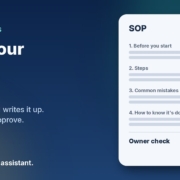
In most small businesses I work with, the way things get done lives in one person’s head. Usually the owner’s. How to quote a job, how to set up a new customer, what to check before an order goes out, which supplier to ring when something breaks. It all works fine until that person is sick, on holidays, or trying to hire someone new. Then everything slows down, and the same questions get asked over and over.
The fix is simple and boring: write it down. The problem is that nobody has time to sit down and write a stack of process documents. That’s exactly where AI helps. In this post I’ll show you how to write standard operating procedures (SOPs) with AI, step by step, using ChatGPT, Claude, Grokbot or any AI assistant you already have. You do the talking. The AI does the typing and tidying. You stay in charge of what goes in.
What an SOP actually is (and why small businesses skip them)
An SOP is just a short, written set of steps for a task you do regularly. It answers three questions: what is this task, who does it, and how do we do it properly every time. It doesn’t need to be a 40-page manual. For most small businesses, a one-page checklist per task is plenty.
When I ask owners why they don’t have them, I hear the same reasons:
- It takes too long. Writing a clear process from a blank page can take an hour or more, and there’s always something more urgent.
- It’s hard to explain what you do on autopilot. You’ve done the task so many times you skip steps without noticing.
- They go out of date. You write one, the process changes, and nobody updates it.
- Nobody reads them. Long, wordy documents get ignored.
AI deals with the first two really well, and makes the last two much easier to fix.
Why AI is good at this job
Writing an SOP is mostly turning messy, spoken knowledge into clear, ordered steps. That’s one of the things AI assistants do best. You can talk through a task the way you’d explain it to a new staff member, rambling and out of order, and the AI can turn it into a clean checklist in seconds. It can also ask you questions to fill the gaps you didn’t notice you left.
What it can’t do is know how your business works. It doesn’t know your systems, your customers or the shortcuts that cause problems. So the rule is the same as every other AI job I recommend: the AI drafts, you check. Every SOP should be read and approved by the person who actually does the task before anyone relies on it.
How to write SOPs with AI, step by step
Step 1: Pick the first three tasks
Don’t try to document the whole business. Start with three tasks that meet at least one of these:
- You get asked how to do it more than once a month.
- Mistakes in it cost you money or upset customers.
- Only one person knows how to do it.
Common first picks are setting up a new customer, sending a quote, processing a refund, opening or closing the shop, and end-of-month admin.
Step 2: Talk it through, don’t write it
This is the bit that saves the most time. Open your AI assistant’s voice mode, or use the dictation on your phone, and just explain the task out loud as if you were training someone on their first day. Don’t worry about order or polish. Mention the tools you use, what can go wrong and what “done” looks like.
Another option is to record yourself (or a staff member) doing the task while narrating, then paste the transcript in. Either way, you’re capturing what’s really done, not what you think is done.
Step 3: Ask the AI to turn it into an SOP
Paste your notes or transcript in with a prompt like this:
“You’re helping me write a standard operating procedure for my small business. Below is my rough explanation of how we [task]. Turn it into a one-page SOP with: a purpose line, who does it, what you need before starting, numbered steps (one action per step), common mistakes to avoid, and how to know it’s done. Use plain Australian English. Don’t add steps I didn’t mention. Instead, list any gaps or questions at the end.”
That last line matters. You don’t want the AI inventing steps that sound sensible but aren’t how you work. Asking it to list gaps instead keeps it honest.
Step 4: Answer the gaps
The AI will usually come back with a handful of questions. “What happens if the customer doesn’t have an ABN?” “Who approves refunds over a certain amount?” These are the steps you do on autopilot. Answer them, and ask it to update the draft.
Step 5: Test it on someone else
Give the draft to someone who doesn’t normally do the task and watch them follow it. Wherever they get stuck or ask a question, the SOP needs fixing. Tell the AI what happened and get it to tweak the wording. This test is the most important step, and it’s the one people skip.
Step 6: Store it where people will find it
An SOP nobody can find is useless. Put them all in one shared folder, a shared drive or your team chat, with clear names like “SOP: Sending a quote”. Add the date and the owner of each one at the top.
Prompts you can copy
Here are a few more prompts that work well once you’ve got the basics going:
- Turn an SOP into a checklist: “Turn this SOP into a short tick-box checklist someone can print and use on the job.”
- Make it easier to read: “Rewrite this so a new staff member on their first week can follow it. Short sentences, no jargon.”
- Update an old one: “Here’s our current SOP and here’s what’s changed. Update it and list exactly what you changed so I can check it.”
- Build a training quiz: “Write five quick questions to check someone understands this SOP.”
- Find what’s missing: “Here’s a list of the SOPs we have. Based on a business like mine, what common tasks are we missing?”
Keep your SOPs safe and accurate
A few things to watch:
- Don’t paste in private information. Leave out customer names, passwords, bank details and anything personal. Use placeholders like [customer name]. The Office of the Australian Information Commissioner has clear guidance on privacy and the use of commercially available AI products that’s worth a read before you start.
- Safety steps need a proper check. If a task involves any risk to people, such as tools, chemicals, vehicles or working at heights, AI can help with the wording but it isn’t a substitute for doing your hazard checks properly. Safe Work Australia explains how to identify, assess and control hazards.
- Someone owns every SOP. Put a name on it. That person checks it’s still right every few months.
- The AI doesn’t get the final say. If the SOP and how the job is really done don’t match, fix the SOP. Don’t just trust the document.
Where SOPs pay off fastest
The biggest win I see is with new staff. Instead of shadowing you for two weeks, a new hire can work through a folder of clear one-page SOPs and come to you with specific questions. business.gov.au has a helpful guide on how to onboard new employees, and good SOPs make almost every part of that easier.
The second win is with AI itself. Once a task is written down clearly, it’s much easier to hand parts of it to an AI agent. A good SOP is basically the instructions an agent needs. That’s why, when I set up AI agents for a business, writing down the process is always the first step. If you’ve already read my post on onboarding new clients with AI, you’ll notice the same pattern: get the steps clear, then let AI help with the repetitive parts.
A simple plan for this week
- Pick three tasks that get asked about the most.
- Spend ten minutes talking each one through out loud.
- Use the prompt above to turn each into a one-page SOP.
- Answer the gaps the AI lists.
- Test each one on someone who doesn’t usually do it.
- Save them in one shared folder with a name and date on each.
That’s maybe two hours of work for three SOPs you’ll use for years. Then add one more each week.
Frequently asked questions
Can AI write SOPs for my business without my input?
It can write a generic one, but it won’t match how you actually work. The useful SOPs come from your explanation of the task. The AI’s job is to organise and tidy it, not make it up.
Which AI assistant is best for writing SOPs?
Any of the main ones will do the job, including ChatGPT, Claude and Grokbot. Use the one you’re most comfortable with. The prompt and your input matter far more than the tool.
How long should an SOP be?
For most small business tasks, one page. If it’s longer than that, it’s probably two tasks and should be split.
How often should I update my SOPs?
Whenever the process changes, and give each one a quick check every few months. AI makes updates fast: paste in the old version, explain what changed, and ask it to list its edits so you can check them.
Is it safe to put business processes into an AI tool?
General process steps are usually fine, but leave out personal information, passwords and anything confidential. Check your AI tool’s privacy settings and read the OAIC guidance linked above.
Want help getting your processes out of your head?
If you’d like to see which of your processes are worth writing down first, and which ones AI could take off your plate, book an AI audit and we’ll map it out together. Or, if you’d rather get started yourself, grab the AI agents pack. It works with ChatGPT, Claude, Grokbot or any AI assistant, and you can have your first agent running this week.