
Ask most small business owners why customers choose them and you’ll get a confident answer. Ask why people go elsewhere and it goes quiet.
The good news is the answer is already written down. Your customers have told you, in their own words, in your Google reviews, in your enquiry emails and in the questions they ask on the phone. Your competitors’ customers have done the same in public.
In this post I’ll show you how to analyse customer reviews with AI so you can find what customers really want: the questions they ask before they buy, the pain points that made them look for help, the objections that stop them and the things they praise. Then I’ll show you how to turn those patterns into better website copy, FAQs, ads and even fixes to your service. You can do all of it with ChatGPT, Claude, Grokbot or any AI assistant, and it takes an afternoon, not a research budget.
Step 1: Gather the words your customers already use
The point of this exercise is to get your customers’ language, not yours. So start by collecting raw text. You want quantity here, because patterns only show up when you’ve got enough of it.
Your own Google reviews
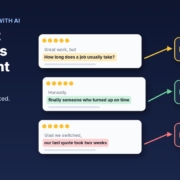
Start with your own reviews. Copy the text of every review you can, good and bad. The five-star ones tell you what people value enough to mention. The three-star ones are often the most useful of all, because they usually say “it was good, but…” and that “but” is gold.
Competitors’ public reviews
Next, search Google for your service and your city, the way a customer would (for example, “bathroom renovations Brisbane”). Open the top three competitors that come up and read their reviews.
Your enquiry emails and messages
Finally, pull 20 to 30 recent enquiries from your inbox, website chat or social messages. Reviews tell you what happened after someone bought. Enquiries tell you what was on their mind before they bought, which is exactly what your website and ads need to answer.
Before you paste anything into an AI tool, strip out names, phone numbers, email addresses and anything else that identifies a person. You don’t need it for this, and it’s a good habit. I cover this in more detail in my post on whether AI is safe for small business.
Step 2: Get AI to pull out the patterns
This is the part that used to take days with a highlighter and a spreadsheet. Now it takes minutes. Paste your collected text into your AI assistant in batches (keep your own reviews, competitor reviews and enquiries separate so you can compare them later) and ask it to sort what it finds into four buckets.
The four buckets
- Questions: what people want to know before they buy. “How long does it take?” “Do you do weekends?” “What does it cost roughly?”
- Pain points: the problem that made them start looking. “Our last builder disappeared halfway through.” “I was sick of chasing quotes.”
- Objections: what nearly stopped them, or what stopped them choosing a competitor. Price, timing, trust, “not sure it’s right for us”.
- Praise: the specific things people mention when they’re happy. Notice whether it’s the result, the communication, the speed or the person.
An example prompt you can use
Here’s an example prompt. Adjust it for your business:
Example prompt: “Below are customer reviews for a [your service] business in [your city]. Group what customers say into four lists: questions they had before buying, pain points that made them look for help, objections or hesitations, and specific things they praised. For each item, show how many reviews mention it and quote two short phrases in the customers’ own words. Don’t add anything that isn’t in the reviews. Then list the three patterns that come up most often.”
That last line, “don’t add anything that isn’t in the reviews”, matters. AI assistants are keen to be helpful and can fill gaps with things that sound plausible. You want what’s actually there, so ask for quoted phrases and check a few against the original text.
Compare your reviews with your competitors’
Once you’ve got the buckets for both, ask the AI to compare them: “What do customers praise competitors for that nobody mentions about us? What do they complain about with competitors that our customers never mention?” The first list shows you gaps. The second shows you strengths you probably aren’t talking about loudly enough.
Step 3: Turn the patterns into copy, FAQs, ads and fixes
Insight is only useful if it changes something. Here’s where I’d put each bucket to work.
Website copy and headlines
Your most common pain point is usually your best headline, written the way customers say it. If reviews keep mentioning “finally someone who turned up when they said they would”, that’s a stronger message than “quality service you can trust”. Use the praise bucket for the section that explains why people choose you, in their language rather than marketing language. If you’re building a page for an offer, my guide on building a landing page that gets enquiries with AI shows where each piece goes.
Your FAQ
The questions bucket is your FAQ, ready made. Answer the top five plainly on your website and on the pages your ads point to. Every question you answer up front is one less reason for a visitor to leave and “think about it”. If you also want your team answering the same questions consistently, that’s a slightly different job, which I cover in how to build a team FAQ from real customer questions.
Ads and social posts
Each pain point can become an ad angle or a short video: name the problem, show you understand it, explain how you fix it. Each objection can become a post that tackles it head on, such as “Is it worth paying more for a licensed electrician?”
Fixes to your service
This is the one people skip. If the same complaint shows up again and again, in your reviews or your competitors’, it’s not a marketing problem. It’s a service problem, or an opportunity. If customers across your industry complain about not hearing back after they enquire, replying quickly becomes a real point of difference. That’s exactly the kind of gap an AI agent can help close, by drafting a fast, friendly reply to every enquiry for you to check and send.
If you’d like a second set of eyes on what your reviews are telling you, our free AI audit looks at exactly this: how people find you, what they ask and where AI can help you respond better.
Step 4: Follow the rules: insight only, never copy or fake
Mining reviews for insight is smart. Copying or faking them is not, and in Australia it can be illegal. The ACCC’s guidance on online reviews for products and services says it’s against the law for a business to create fake or misleading reviews, to arrange for others to create them, or to mislead by manipulating genuine reviews, and it specifically mentions doing any of these with AI tools.
So keep it simple:
- Use competitors’ reviews to understand the market, never to republish or reword as your own.
- Never use AI to write reviews for your business, and don’t ask staff, friends or family to post them.
- Don’t cherry-pick or edit genuine reviews in a way that changes their meaning when you show them on your site.
- Ask for real reviews the right way. Ask every customer, not just the happy ones. I explain how in how to get more Google reviews with AI (the right way).
The phrases you pull out are for you to understand your customers. When you write your own copy, write it in your own words, guided by what you learned.
Step 5: Repeat it every quarter and compare
Customers change, competitors change and your business changes, so do this every quarter and watch what shifts.
Keep a simple record
Save each round’s four buckets in one document with the date at the top. Next quarter, paste in the new reviews and enquiries along with last quarter’s summary and ask: “What’s new, what’s gone and what’s grown since last time?”
Check your fixes worked
If you changed something based on the last round, such as faster replies, clearer pricing or better updates during a job, look for whether the complaint has dropped off and whether new praise has appeared. That’s real feedback on whether the change worked, straight from customers.
What to do this week
- Copy your last 30 Google reviews (or as many as you have) into a document.
- Search your service and city on Google, open the top three competitors and copy their recent reviews into a second document.
- Pull 20 recent enquiries from your inbox, with names and contact details removed.
- Run the example prompt above on each batch and get your four buckets.
- Pick one change: a new headline, five FAQ answers or one ad angle. Make it this week.
FAQ
How many reviews do I need for this to be useful?
There’s no magic number, but patterns are easier to trust when you’ve got a few dozen pieces of text to work with. If you’ve only got a handful of reviews, lean more on competitors’ reviews and your enquiry emails to fill it out.
Is it okay to read and analyse competitors’ reviews?
Reading public reviews to understand your market is fair game. What you mustn’t do is copy them, reword them as your own or use them to mislead anyone. Use them for insight, then write in your own words.
Which AI tool should I use?
Any of the mainstream assistants will do this well, including ChatGPT, Claude and Grokbot. Pick the one you already use. The quality of the result depends far more on the text you give it and the clarity of your prompt than on the tool.
Can AI make up things that aren’t in the reviews?
It can, which is why the example prompt asks it to quote customers’ own phrases and not add anything that isn’t there. Spot-check a few quotes against the original reviews before you act on the findings.
Want to know what your customers are really telling you?
Our free AI audit looks at how people find you, what they ask before they enquire and what happens after. We’ll show you where AI can help you answer faster and say the right things, with practical next steps whether or not we work together.