
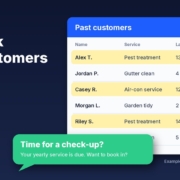
Most small businesses are sitting on a list of people who already know them, already trust them and have already paid them. Past customers. The trouble is, nobody ever gets around to contacting them. The phone rings with new work, the week fills up, and that list just sits in your CRM, your invoicing software or an old spreadsheet.
This post shows you how to win back past customers with AI, step by step. You’ll pick who to contact, check you’re allowed to message them, get AI to draft personal check-ins, handle the replies and turn it into a habit you run every quarter. It works with ChatGPT, Claude, Grokbot or any AI assistant, and you stay in control of every message that goes out.
Why past customers are the easiest work you’ll ever win
A past customer already knows your work is good. Winning them back is mostly about reminding them you exist at the moment they need you.
Plenty of services come with a natural “next time”:
- A pest treatment or an air-con service that should be done every year
- A gutter clean or garden tidy-up before the wet season
- A bigger project that was quoted but parked “until after Christmas”
The work is there. What’s missing is a simple system, and that’s where AI helps.
Step 1: Find who to contact
Start with the data you already have. Export a customer list from your CRM, job management or invoicing software. You only need a few columns:
- Name and preferred contact (email or mobile)
- Last job date
- Service type
- Any notes (house size, equipment, what they asked about)
- Whether they’ve agreed to hear from you (more on this in Step 2)
If your records are a mess, sort that first. My post on keeping your CRM up to date with AI walks through it.
Let AI sort the list into groups
Remove anything sensitive you don’t need (payment details, health notes), then paste the list into your AI assistant with a prompt like this:
“Here is my customer list. Group these customers by service type and how long since their last job: 6–12 months, 12–24 months and over 24 months. Flag anyone whose service is usually repeated every year. Don’t invent any details that aren’t in the list.”
You’ll end up with small groups that each get their own message. For example (an example only), a pest control business might have “annual treatment due”, “termite inspection over 12 months ago” and “one-off job, no repeat service”.
Start small
Don’t message everyone on day one. Pick one group of 20 to 30 people with an obvious reason to get in touch, like a service that’s due, so you can handle the replies properly.
Step 2: Check consent and unsubscribe basics
This is the step most people skip, and it matters. In Australia, marketing emails and text messages are covered by the Spam Act, which the Australian Communications and Media Authority (ACMA) enforces. ACMA’s guide Avoid sending spam sets out the basics:
- You need consent before you send marketing messages. Express consent (they ticked a box, filled in a form or said yes in person or over the phone) is best practice, and you should keep a record of who agreed, when and how.
- Inferred consent is narrow. ACMA says it usually applies only where there’s an ongoing relationship (an account, a subscription, a membership) and the message relates directly to it. It doesn’t cover messaging someone just because they bought something from you once.
- Every message must identify your business and include your contact details.
- Every message needs an easy unsubscribe (such as “Reply STOP”), and requests must be actioned within 5 working days.
In practice, that gives you two piles. People who’ve said yes to hearing from you can get an email or text. For one-off customers who never opted in, pick up the phone for a genuine personal call, or ask them for permission the next time you’re in touch. Phone calls have their own rules too, including the Do Not Call Register, so check ACMA’s guidance if you plan to call a lot of people.
From here on, start asking for consent properly: a tick box on your booking form or a line on your quote (“Can we remind you when your next service is due?”). It makes every future win-back easier.
This is general information, not legal advice. If you’re unsure, read ACMA’s guidance in full or talk to an adviser.
Step 3: Get AI to draft personal check-ins
The difference between a win-back message that works and one that gets ignored is that a good one sounds like it came from you, about their job, for a reason that makes sense right now.
Give the AI the right ingredients
For each group, give your assistant:
- Who you are and how you talk (paste in a couple of real messages you’ve sent customers)
- The reason for getting in touch (service due, season changing, a parked quote)
- What they had done last time and roughly when
- One clear next step (reply with a day that suits, or book via a link)
- Your business name, contact details and an unsubscribe line
An example prompt
“Write a short, friendly SMS (under 300 characters) from Sam at Example Pest Co to a past customer. Their last general pest treatment was [month/year]. Remind them it’s usually done once a year and ask if they’d like to book in. Sound like a local business owner, not a marketing department. No discount, no pressure. End with ‘Reply STOP to opt out’. Use only the details I’ve given you.”
Ask for three versions, pick the one that sounds most like you and tweak it. Then use the customer’s details to personalise each message: their first name, the service they had, and a line from your notes if it’s relevant (“Hope the new deck is holding up well”).
Seasonal and service reminders
Some of the best win-back messages are simply useful. “Storm season’s coming, want your gutters cleared before it hits?” is a reminder that helps the customer. It isn’t a hard sell. Ask the AI to suggest one seasonal angle per service type, then check each one is true for your area and your work.
What to avoid
- Don’t invent urgency (“only 2 spots left”) unless it’s true. Australian Consumer Law applies to your marketing messages as well.
- Don’t let the AI add details it doesn’t know, like what they paid or what’s wrong with their property.
- Don’t send anything you haven’t read.
Step 4: Handle replies and book them in
A win-back campaign is only as good as how you handle the replies. Before you hit send, decide who’s looking after them.
Sort replies into buckets
Replies usually fall into a few types:
- Yes, book me in. Reply with two or three times or a booking link, the same day.
- Not now, maybe later. Note the month they mention and set a reminder.
- A question or a new job. Answer it properly, as it’s often bigger work.
- Stop or unsubscribe. Remove them straight away and record it.
Your AI assistant can draft replies to each type in your voice. You read and approve them before they go. It can also turn “maybe later” replies into a short list with dates so nobody slips through.
Follow up once, then stop
If someone doesn’t reply, one gentle follow-up a week later is plenty. After that, leave it until the next quarter. My post on how to follow up leads with AI (without being pushy) covers timing and tone in more detail, and the 7-Day Follow-Up agent in my free Steal My AI Agents pack gives you a ready-made sequence you can adapt for past customers.
Step 5: Make it a quarterly habit
Winning back past customers works best as a rhythm. Put a one-hour block in your calendar at the start of each quarter and run the same steps:
- Export the latest customer list
- Ask AI to group it by service and last job date
- Pick one or two groups with a clear reason to get in touch
- Draft, check and send the messages to people who’ve opted in, and make the personal calls
- Track replies and bookings in a simple sheet
Keep a simple scorecard
Each quarter, note how many people you contacted, how many replied, booked and unsubscribed. After a couple of rounds you’ll see which groups and messages are worth repeating. AI can summarise the sheet and suggest changes; you make the final call.
What to do this week
- Export your customer list with last job date and service type.
- Check which customers have agreed to hear from you, and add a consent tick box to your booking form or quote.
- Ask your AI assistant to group the list and pick one group of 20 to 30 people with a clear reason to get in touch.
- Draft three versions of a check-in message, choose one and personalise it.
- Send it, reply to everyone the same day and note what happened.
FAQ
Can I text or email past customers about a new service?
Only if you have their consent. Under the Spam Act, ACMA says you need express or inferred consent before sending marketing emails or texts, and a one-off purchase on its own doesn’t count as inferred consent. Every message also needs your business details and an easy way to unsubscribe.
How often should I contact past customers?
For most small businesses, once a quarter is a sensible rhythm, plus a reminder when a regular service is genuinely due. Keep each message useful and personal, follow up once if there’s no reply, then leave it until next time.
Will AI messages sound fake to my customers?
Not if you give the AI real examples of how you write, the details of their last job and a clear reason for getting in touch. Ask for a few versions, pick the one that sounds like you, and read every message before it goes out.
What should I do when a past customer replies?
Reply the same day. Book in anyone who says yes, set a reminder for anyone who says ‘later’, answer questions properly and remove anyone who asks to stop straight away. AI can draft each reply for you to check and send.
Ready to win back past customers?
Grab the free Steal My AI Agents pack. It includes the 7-Day Follow-Up agent plus ready-to-use agents for lead replies, reviews, onboarding, inbox triage and a weekly business review. It works with ChatGPT, Claude, Grokbot or any AI assistant. Want help setting it up around your own customer list? Book a free AI audit.