
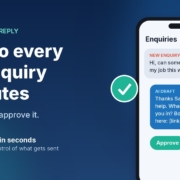
A new enquiry lands at 10:40 on a Tuesday morning. You’re on a job, in a session with a client, or halfway through a quote. You see the notification, think “I’ll reply properly tonight”, and by the time you sit down at 8pm there are three more. One of them has already booked someone else.
If that sounds familiar, you don’t have a marketing problem. You have a reply-speed problem. And it’s one of the easiest jobs to hand to AI, as long as you set it up so you stay in charge of what actually gets sent.
In this post I’ll show you the simple “instant lead reply” setup I use with small businesses: what it is, how to build it with the AI assistant you already have, and the guardrails that stop it from embarrassing you.
Why reply speed matters more than most owners think
The best-known research on this is a 2011 Harvard Business Review article, The Short Life of Online Sales Leads by James Oldroyd, Kristina McElheran and David Elkington. It’s older and US-based, but the lesson still applies here.
The researchers did two things:
- They tested how fast companies replied. They sent a web enquiry to 2,241 US companies and timed the response. 37% replied within an hour, 16% took one to 24 hours, 24% took more than 24 hours, and 23% never replied at all. Among the companies that replied within 30 days, the average response time was 42 hours.
- They looked at what happens when you’re slow. In a separate study of 1.25 million sales leads across 42 companies, firms that tried to contact a lead within an hour were nearly seven times as likely to qualify that lead (have a meaningful conversation with the decision maker) as firms that tried even an hour later, and more than 60 times as likely as firms that waited 24 hours or longer.
You don’t need to take those exact multiples as gospel for your business. The direction is the point: people who enquire are usually ready to talk right now, and that window closes fast. If you’re paying for ads, SEO or a directory listing, a slow reply quietly wastes the money you spent getting that enquiry.
What an “instant lead reply” agent actually does
Forget the idea of a robot taking over your inbox. For a small business, an instant lead reply agent does three small things well:
- Reads the enquiry and works out what the person actually wants.
- Drafts a short, friendly reply in your voice that shows you read their message, asks one useful question, and offers a next step (usually a booking link or a call).
- Hands it to you to approve before anything is sent.
That last step is the important one. You’re not removing yourself from the conversation. You’re removing the blank-page part, so replying takes you 30 seconds between jobs instead of 10 minutes at night.
Why “draft, then approve” is the right starting point
AI assistants are very good at writing a polite, relevant first reply. They’re not good at knowing your current availability, your pricing for a tricky job, or the fact that you don’t service that suburb any more. Keeping a human approval step means a wrong guess never reaches a customer. Once you’ve seen a few weeks of drafts and trust them, you can decide whether any replies are safe to automate further.
How to set it up with the AI assistant you already have
You can build a working version of this today with ChatGPT, Claude, Grokbot or any AI assistant. No code needed.
Step 1: Write your business brief
Open a new chat (or a project, custom instructions or custom assistant, if your tool has them) and give it the context a new receptionist would need. Here’s a template you can fill in:
“You help me reply to new enquiries for [business name], a [type of business] in [area]. We do [main services]. We don’t do [things you don’t do]. When I paste an enquiry, draft a reply of no more than 80 words in Australian English. Thank them by first name, mention their specific need so they know a real person read it, ask ONE question that helps me qualify the job (for example, their suburb or timeframe), and offer this booking link: [link]. Never quote prices or promise dates. If the message looks like spam, just reply SKIP. Sign off as [your first name].”
Save it so you can reuse it. That brief is the whole “agent”. Everything else is just getting enquiries in front of it faster.
Step 2: Test it on your last ten enquiries
Before you use it on new leads, scroll back through your inbox or Facebook messages and paste in your last ten enquiries one by one. Read every draft and ask yourself: would I be happy sending this? Note anything you keep fixing.
Step 3: Fix the brief, not the drafts
If you keep changing the same thing, add a rule to the brief. “Don’t use exclamation marks.” “Mention we’re closed on Sundays.” “If they ask about emergency call-outs, give them our phone number.” After a round or two of tweaks, most drafts should need little or no editing.
Step 4: Make it part of your day
Pick a trigger you’ll actually stick to. For most owners, it’s simple: when an enquiry notification comes in, copy it into your saved assistant, check the draft, send. Many AI assistants have a phone app, so you can do this from the ute or between clients. If your tool supports scheduled tasks or routines, you can also set a midday and end-of-day check that pulls together any enquiries you haven’t answered yet.
Step 5: Track one number for two weeks
Keep a simple note of how long it took you to reply to each enquiry, before and after. That’s your honest result. I’d much rather you measure it in your own business than rely on anyone’s promise, including mine.
Guardrails that keep you out of trouble
Speed is great. Speed plus a wrong answer is not. These are the rules I build into every lead reply setup.
Never let it quote, promise or diagnose
Prices, dates, availability and anything that sounds like professional advice stay with you. The AI’s job is to start the conversation and get the booking, not close the deal.
Be careful with personal information
Enquiries contain names, phone numbers and sometimes sensitive details. The Office of the Australian Information Commissioner (OAIC) has published guidance on privacy and the use of commercially available AI products. Its advice includes checking whether a tool’s terms let the provider access or train on what you type in, building in human oversight, and, as a matter of best practice, not entering personal information (especially sensitive information) into publicly available AI chatbots.
In practice, that means a few simple habits: use a business plan with data controls where you can, strip out details the AI doesn’t need (it can write a great reply with just a first name and the request), and never paste in health, financial or other sensitive information. If you’re in health, finance or law, get proper advice before going further.
Review the drafts every week
Spend five minutes on Friday skimming the week’s replies. Look for anything that’s drifted off-tone or repeated a mistake, and update the brief. Treat it like a new staff member: it gets better with feedback.
When to go beyond copy and paste
The copy-and-paste version works, and for plenty of businesses it’s all you’ll ever need. It’s worth taking the next step when:
- You’re getting enough enquiries that even 30 seconds each adds up.
- Leads come in from several places (website form, Facebook, Google, email) and some slip through the cracks.
- You want follow-ups to happen automatically for people who didn’t book.
- You want your team replying the same way, with the same rules.
At that point, it’s about connecting your enquiry sources, CRM and inbox so drafts are waiting for you, rather than you going to find them. That’s the kind of thing I help businesses set up, and you can start with a free AI audit to see whether it’s worth it for you.
If you haven’t yet worked out which job to hand to AI first, start with my 30-minute small business AI audit. For most service businesses, replying to new enquiries comes out at or near the top.
Frequently asked questions
Will customers know the reply was written by AI?
With the draft-and-approve setup, you’re reading and sending every reply yourself, so it’s your message, just written faster. If you move to a chatbot that replies without you, tell people they’re talking to an AI assistant. It’s what the OAIC recommends, and customers generally prefer honesty.
Do I need special software for this?
No. A saved brief in ChatGPT, Claude, Grokbot or any AI assistant is enough to start. Connecting it to your website form, CRM or inbox is optional and only worth doing once the basic version is working for you.
What if the AI gets something wrong?
That’s exactly why you approve every draft at the start. When you spot a mistake, add a rule to your brief so it doesn’t happen again. Keep prices, dates and anything resembling professional advice off-limits for the AI.
Is it OK to paste customer enquiries into an AI tool?
Check your tool’s data and privacy settings first, use a business plan with data controls where possible, and only include what the AI needs to write the reply. Never paste sensitive information such as health or financial details. The OAIC’s guidance on commercially available AI products is a good plain-English starting point.
How fast should I be replying?
As fast as you reasonably can. The Harvard Business Review research above found leads contacted within an hour were far more likely to turn into a real conversation. Within an hour during business hours is a good goal for most small businesses.
Get the Instant Lead Reply agent (free)
The full lead reply prompt, setup steps and a daily routine are in my free Steal My AI Agents pack, along with five other agents for follow-up, reviews, onboarding, inbox triage and your weekly business review. It works with ChatGPT, Claude, Grokbot or any AI assistant. No code needed.
Rather have it set up for you? Book a free AI audit.