
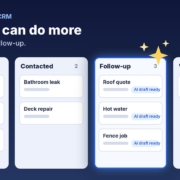
If you’re paying for HubSpot every month and still typing notes after every call, chasing quotes from memory and onboarding new clients with a copy-pasted email, you’re not alone. A CRM is only as good as what goes into it, and for most small businesses the bit that goes in is the bit nobody has time for.
The good news is you don’t need a bigger plan or a new system to fix it. You can hand the repetitive writing and chasing to AI agents and keep HubSpot as the place where everything lives. In this post I’ll show you what HubSpot already does well, where the gaps usually are, three jobs to give AI first, where the AI actually sits, and how to keep your data clean while you do it.
Quick note: I’m independent and not affiliated with or endorsed by HubSpot. HubSpot is a trademark of HubSpot, Inc.
What HubSpot does well (and where the gaps are)
HubSpot is very good at being the single source of truth for your contacts, deals and conversations. You can see who enquired, what stage their deal is at, which emails they opened and who on your team is responsible. For a small business, that alone is a big step up from a spreadsheet and a full inbox.
HubSpot also has its own AI now. Its Breeze Assistant page says Breeze Assistant is included with every HubSpot subscription at no extra cost, and its AI agents page describes pre-built agents and an agent builder. Some of those features need a Starter, Professional or Enterprise subscription, and custom agents use HubSpot Credits, so check what your plan includes before you count on them.
So where are the gaps? In my experience they’re rarely about features. They’re about the work around the CRM:
- Replies are slow. A new enquiry lands in HubSpot, but someone still has to write the first reply, and that person is on the tools or with a client.
- Follow-up depends on memory. Quotes go out and nobody chases them, because the follow-up tasks pile up faster than anyone clears them.
- Onboarding is ad hoc. Every new client gets a slightly different welcome, and the details you need from them arrive in dribs and drabs.
- Records go stale. Notes don’t get logged, deal stages don’t get moved, and the pipeline report stops matching reality.
None of those are HubSpot problems. They’re time problems, and they’re exactly the sort of repetitive, text-heavy jobs AI is good at.
Three jobs to hand to AI first
Don’t try to automate your whole CRM in one go. Pick one of these, get it working, then add the next.
1. The first reply to a new lead
When a lead comes in, an AI agent can read the enquiry and draft a friendly, specific reply based on your services, service area and pricing rules. You check it and send it, or for simple enquiries you let it go out once you trust it. The reply then gets logged against the contact in HubSpot so everyone can see it.
The key is giving the agent good information: what you do and don’t do, the areas you cover, how you price, and when it must hand over to a person. I go into the details in my post on replying to every enquiry fast with AI.
2. Follow-up on quotes and quiet deals
Most deals that go cold weren’t lost. Nobody followed up. An AI agent can look at deals that have sat in the same stage for a few days and draft a short, personal follow-up using the notes on that deal. A simple cadence such as day 1, day 3 and day 7 works for a lot of businesses, and the agent should stop as soon as the person replies or says no.
Because the drafts come from the deal notes, they don’t read like a template. If you want the full approach, see how to follow up leads with AI without being pushy.
3. Onboarding new clients
When a deal moves to won, an AI agent can draft the welcome email, a checklist of what you need from the client, and the first few tasks for your team. It pulls the client’s name, the job and any special notes from the HubSpot record, so each welcome feels personal without you writing it from scratch.
Where the AI actually sits
This is the part that confuses people, so let me keep it simple. There are two common ways to set this up, and you can start with the first and move to the second later.
Option A: AI drafts, you paste into HubSpot
You keep your AI assistant open beside HubSpot. You paste in the enquiry or the deal notes, the assistant drafts the reply or follow-up, you check it and paste it into HubSpot to send or log. It sounds basic, but it’s the fastest way to start, it costs nothing extra, and you stay in full control of every message.
This is how the Steal My AI Agents pack works. Each agent is a set of plain-English instructions you load into ChatGPT, Claude, Grokbot or any AI assistant, so there’s nothing to install.
Option B: AI connected to HubSpot
Once the drafts are reliably good, you can connect the AI to HubSpot so it reads new records and writes notes, tasks or drafts straight back. That might be through HubSpot’s own agents, or an AI assistant that’s been given access to your account. Either way, the same rule applies: start with the agent creating drafts and tasks for a person to approve, and only let it act on its own once you’ve tested it on real examples.
Guardrails that apply either way
- Decide what the AI may never send without a person checking it, such as pricing, complaints or anything legal.
- Give it a clear hand-over rule: if it isn’t sure, it flags the record for a human.
- Only give it access to the data it needs for the job.
If you’re weighing up the data side, my post on whether AI is safe for small business covers what to check.
Keeping your data clean
AI is only as good as the records it reads. If your contacts have no notes and your deal stages are a guess, the drafts will be generic. A few habits make a big difference:
Agree on your deal stages
Write down what each stage means in one line, for example “Quote sent: the quote has been emailed and we’re waiting on a yes or no”. When everyone uses the stages the same way, an agent can safely pick out the deals that need chasing.
Log a short note after every conversation
Even two lines helps: what they want, what you promised, and the next step. You can dictate a rough note and have AI tidy it into a clean summary before it goes into HubSpot. I cover this in how to keep your CRM up to date with AI.
Use the fields you already have
Service type, suburb and lead source are usually enough for an agent to personalise a message. Fill those in consistently before you add more custom fields.
Review weekly
Spend ten minutes a week looking at what the agent drafted and what actually went out. Fix the instructions when something’s off. That small habit is what turns a clever experiment into something your team relies on.
What to do this week
- Pick one job. First reply, follow-up or onboarding. Choose the one that costs you the most time or the most lost work.
- Write down your rules. Services, areas, pricing basics, tone, and what must always go to a person.
- Run it in your AI assistant for a week. Paste in real enquiries or deal notes, check every draft, and log what you send in HubSpot.
- Tidy the records it relies on. Agree on your deal stages and start logging short notes.
- Decide on the next step. If the drafts are consistently good, look at connecting the AI to HubSpot or adding the next job.
If you’d like the instructions already written, the free CRM agent pack for HubSpot gives you agents for lead replies, follow-ups and keeping records complete on the plan you already have.
FAQ
Do I need a higher HubSpot plan to use AI agents?
Not to get started. You can run AI agents in your own AI assistant and paste the results into HubSpot on any plan. HubSpot’s own agents and agent builder have their own plan and credit requirements, so check HubSpot’s pricing pages for your account.
Will AI send messages to my customers without me knowing?
Only if you set it up that way. Start with the AI creating drafts that a person checks and sends. Once you trust it on simple messages, you can decide which ones, if any, it may send on its own.
Is it safe to paste customer details into an AI assistant?
Use a business account with data controls switched on, share only what the job needs, and check the provider’s privacy settings. Avoid pasting sensitive information such as health or financial details unless your setup is approved for it.
Should I switch CRMs to get better AI?
Usually not. Switching costs time and money, and the gaps are rarely the CRM itself. Adding AI to the work around HubSpot, such as replies, follow-ups and notes, is normally the quicker win.
What’s the best first job to give AI in HubSpot?
Whichever one loses you the most work today. For many small businesses that’s following up quotes, because the deals are already in the pipeline and just need a nudge.
Get more out of HubSpot without upgrading
Grab the free CRM agent pack: AI agents for lead replies, follow-ups and complete records that work with the HubSpot plan you already have. Prefer a hand? Book a free 15-minute AI workflow audit and we’ll find your first quick win.
Get the free CRM agent pack or book a free AI audit
Independent AI agents. Not affiliated with or endorsed by HubSpot.