You blocked out the hour. You turned down another job to fit them in. Then 10 o’clock comes and goes, and the chair, the table or the driveway stays empty.
No-shows hurt small businesses more than most owners admit. It’s not just the lost booking. It’s the slot you could have filled, the stock or travel you prepped for, and the awkward “are you still coming?” texts you end up sending between other jobs.
The fix usually isn’t complicated. Most people who miss an appointment didn’t plan to. They forgot, they got their days mixed up or something changed and they didn’t feel they could easily say so. In this post I’ll show you how to reduce no-shows with AI: clear reminders at the right times, an easy way to confirm or reschedule, and a simple process for filling the gaps. You can write all of it with ChatGPT, Claude, Grokbot or any AI assistant, and most of it runs through the booking tool you already use.
Step 1: Work out why people aren’t turning up
Before you write a single reminder, spend ten minutes looking at your last few months of no-shows and late cancellations. The reason matters, because a reminder fixes forgetting but it won’t fix a booking someone never really wanted.
The usual culprits
- They forgot. The booking was made weeks ago and life got in the way.
- Wrong day or time in their head. Especially with bookings made over the phone with no written confirmation.
- Something changed, and cancelling felt like a hassle. If the only way to cancel is to ring during business hours, some people just won’t turn up.
- They weren’t sure what to expect. Where to park, how long it takes, what to bring, what it costs. Uncertainty makes it easy to bail.
Let AI spot the pattern
Export your bookings for the last three months (most booking and job tools let you download a spreadsheet). Remove names and phone numbers, then paste it into your AI assistant and ask: “Look at the appointments marked as no-show or late cancellation. Are there patterns by day of the week, time of day, how far in advance they were booked, or the type of service?” You might find that Monday mornings or bookings made more than three weeks out are where most of the gaps are. That tells you where to focus.
Step 2: Set up a simple reminder sequence
The evidence that reminders help is better than you might expect. A Cochrane review of text message reminders for healthcare appointments found that SMS reminders improved attendance compared with no reminders, worked about as well as phone call reminders and cost less per attendance. That’s healthcare, and the review authors rate the evidence as low to moderate quality, but the logic carries over to any business that runs on bookings: a timely nudge helps people turn up.
An example sequence
Here’s a starting point. Adjust it to how far ahead people book with you.
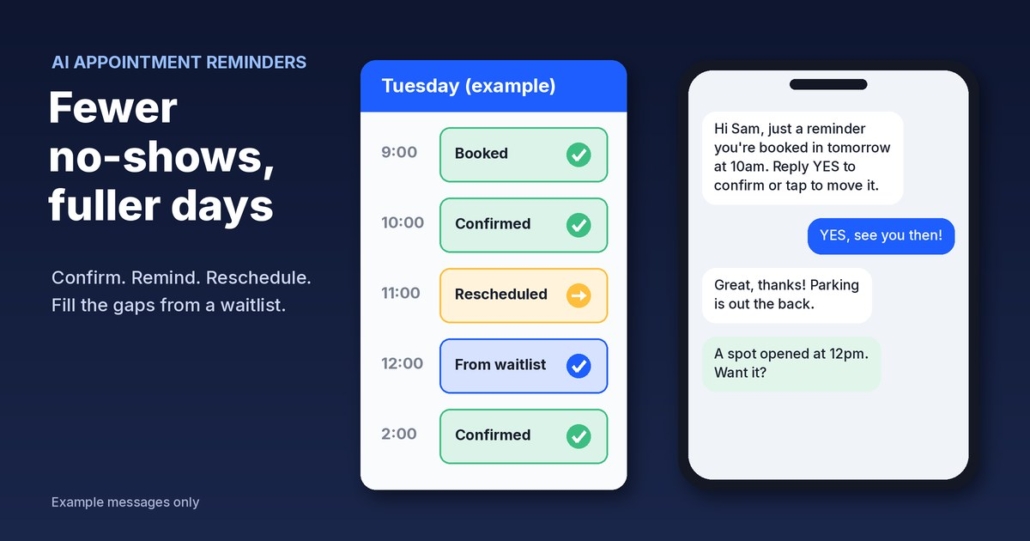
- Straight after booking: a confirmation with the day, time, address and anything they need to know.
- The day before: a reminder that asks them to reply to confirm, or to reschedule.
- The morning of (optional): a short heads-up with parking or arrival info. Useful for early appointments or first-time customers.
For bookings made weeks out, add a reminder about a week before as well, so people have time to move it if they need to.
Use the tool you already have
Most booking systems, practice management software and job management apps already have SMS or email reminders built in. They’re often switched on with a generic message nobody has looked at since setup. You probably don’t need a new tool. You need better messages and the right timing.
Step 3: Get AI to write reminders that sound like you
A robotic reminder (“Your appointment is scheduled for 10:00. Reply Y to confirm.”) works, but a friendly one that answers their likely questions works better for your brand and cuts down the back-and-forth.
An example prompt
Here’s an example prompt you can paste into your AI assistant. Fill in the brackets.
“I run [type of business] in [suburb/city]. Write three short SMS messages (under 300 characters each) for my appointment reminders: 1) a booking confirmation, 2) a day-before reminder asking them to reply YES to confirm or call/text to reschedule, 3) a morning-of message with arrival info. Use a friendly, plain Australian tone, like a real person at the front desk. Include: [business name], [address], [parking tip], [what to bring], [how long it takes]. Don’t add discounts, offers or anything I haven’t listed.”
Read the drafts out loud. If you wouldn’t say it to a customer, change it. Then load the approved versions into your booking tool as your templates. Once they’re approved, the tool sends them, so you’re not relying on AI to make it up fresh each time.
Make rescheduling easy, not awkward
This one surprises people. If cancelling is a hassle, some customers will avoid the conversation and just not show. Put a clear “need to change it? Just reply or use this link” in every reminder. A rescheduled booking is a lot better than an empty slot you find out about at 10:05.
Keep reminders about the appointment
It’s tempting to tack a promo onto every reminder. Don’t. A reminder should be about the booking. Once you start adding offers and upsells, it starts to look like a marketing message, and marketing messages come with rules under the Spam Act, including consent, identifying yourself and an easy way to unsubscribe. The ACMA’s guide to avoiding spam sets those out. Keep your reminders clean and run promotions separately, to people who’ve agreed to hear from you. (This isn’t legal advice; check with the ACMA or an adviser if you’re unsure.)
Step 4: Handle the replies (with a person in the loop)
Reminders that ask people to reply will get replies, and not all of them say “YES”. You’ll get “can we make it 2pm instead?”, “running 10 minutes late”, “what’s the parking like?” and the occasional “who is this?”.
AI drafts, you approve
This is where an AI assistant earns its keep. Paste in the customer’s reply along with your hours, services and policies, and ask it to draft a response. You check it and send it. It’s the same “AI drafts, you approve” approach I use for replying to every enquiry fast, and it keeps you in control of what goes out under your name.
What a person should always handle
- Complaints or anyone who sounds upset.
- Anything about money: refunds, cancellation fees or disputes.
- Health, safety or anything sensitive.
- Requests that don’t fit your normal rules.
If you’re putting customer details into an AI tool, be thoughtful about what you share and which account you use. I cover the basics in is AI safe for small business?
Step 5: Fill the gaps when people do cancel
Even with good reminders, some people will cancel. The goal is to hear about it early and fill the slot.
Keep a simple waitlist
A waitlist doesn’t need software. A list of people who said “if anything comes up earlier, let me know”, with their preferred days and times, is enough. When a slot opens, you know exactly who to message.
A ready-to-go “slot available” message
Have AI write a short, friendly message you can send to the waitlist the moment someone cancels: “Hi [name], a spot’s just opened up on [day] at [time]. Want it? First to reply gets it.” Since these people asked to be told, it’s a helpful message, not a cold pitch. Keep a record of who asked to be on the list.
Look at the numbers once a month
Track two things: how many no-shows you had and how many cancelled slots you refilled. Paste the month’s numbers into your AI assistant and ask what changed and what to try next. If you want a simple way to measure whether any AI change is actually helping, see how to measure the time AI saves your business.
A few mistakes to avoid
- Too many messages. Three reminders for a 30-minute appointment booked yesterday is overkill. Match the reminders to the booking.
- Guilt-trip wording. “Failure to attend will result in…” in every message makes people feel like suspects. State your cancellation policy clearly once at booking, then keep reminders friendly.
- No-reply numbers. If your reminder asks them to reply, make sure someone actually gets the reply.
- Set and forget. Re-read your templates every few months. Hours, addresses and services change.
What to do this week
- Export the last three months of bookings, strip out personal details and ask your AI assistant to find the no-show patterns.
- Check what reminder settings your booking tool already has, and what the current messages say.
- Use the example prompt to draft a confirmation, a day-before reminder and a morning-of message. Edit them until they sound like you.
- Add a clear, easy way to reschedule to every reminder.
- Start a simple waitlist and write your “slot available” message.
FAQ
Do appointment reminders really reduce no-shows?
The best-known evidence comes from healthcare. A Cochrane review found that text message reminders improved attendance compared with no reminders, though the authors rated the evidence as low to moderate quality. Reminders won’t fix every no-show, but they’re one of the simplest things you can put in place.
Should AI send reminders and replies automatically?
Use AI to write your reminder templates, approve them, and let your booking tool send them on schedule. For replies, have AI draft and a person approve, especially for anything about money, complaints or changes outside your normal rules.
Can I add a special offer to my reminder texts?
I’d keep reminders about the appointment. Adding promotions can turn them into marketing messages, which come with consent, identification and unsubscribe rules under the Spam Act. The ACMA’s “Avoid sending spam” page explains those rules.
Which AI tool do I need?
Any mainstream AI assistant will do the writing, including ChatGPT, Claude or Grokbot. The sending is usually done by the booking or job management software you already use.
Want fewer empty slots in your week?
Our free AI audit looks at how bookings come in, how you confirm them and where they fall through. We’ll show you practical ways AI can help with reminders, replies and follow-up, using the tools you already have. Prefer to start on your own? Grab the free Steal My AI Agents pack, ready-made AI agents for lead replies, follow-up, onboarding and more that work with ChatGPT, Claude, Grokbot or any AI assistant.